IPADS Tutorial - Git
引言
本次 Tutorial 分享的是 Git 的数据模型和基本用法。以 Git 的内部的数据模型(data model)入手,讲解 Git 内部对于项目、文件数据、历史等的抽象和管理,然后围绕科研和开发过程中的具体案例讲解 Git 的常用命令,帮助刚加入实验室的新同学快速了解 Git。
- 主讲人:杜东(IPADS 五年级博士)
- slides下载地址:https://ipads.se.sjtu.edu.cn/zh/slides/tutorial-2021/Tutorial03_Git.pdf
Background
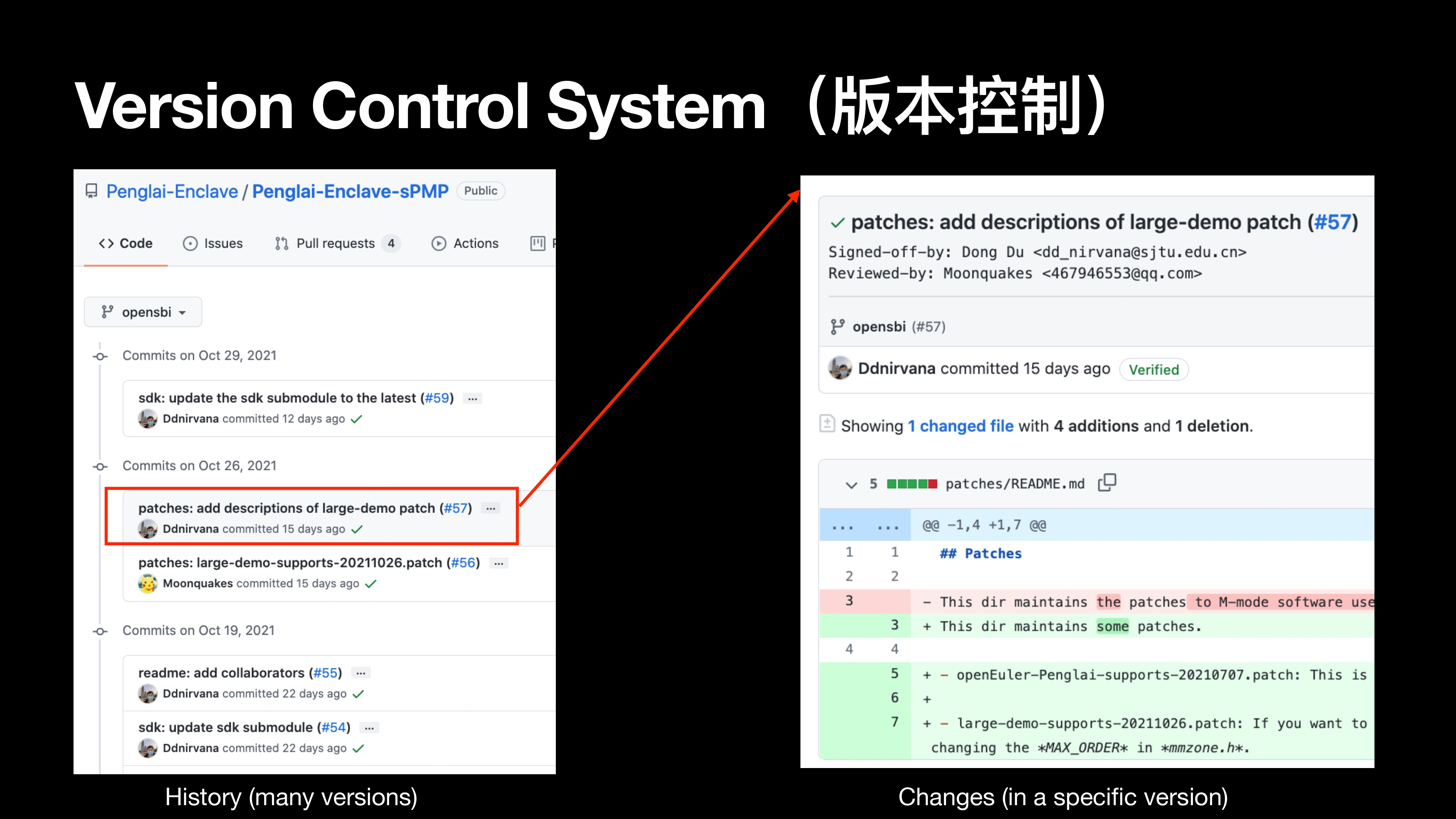
Version Control System
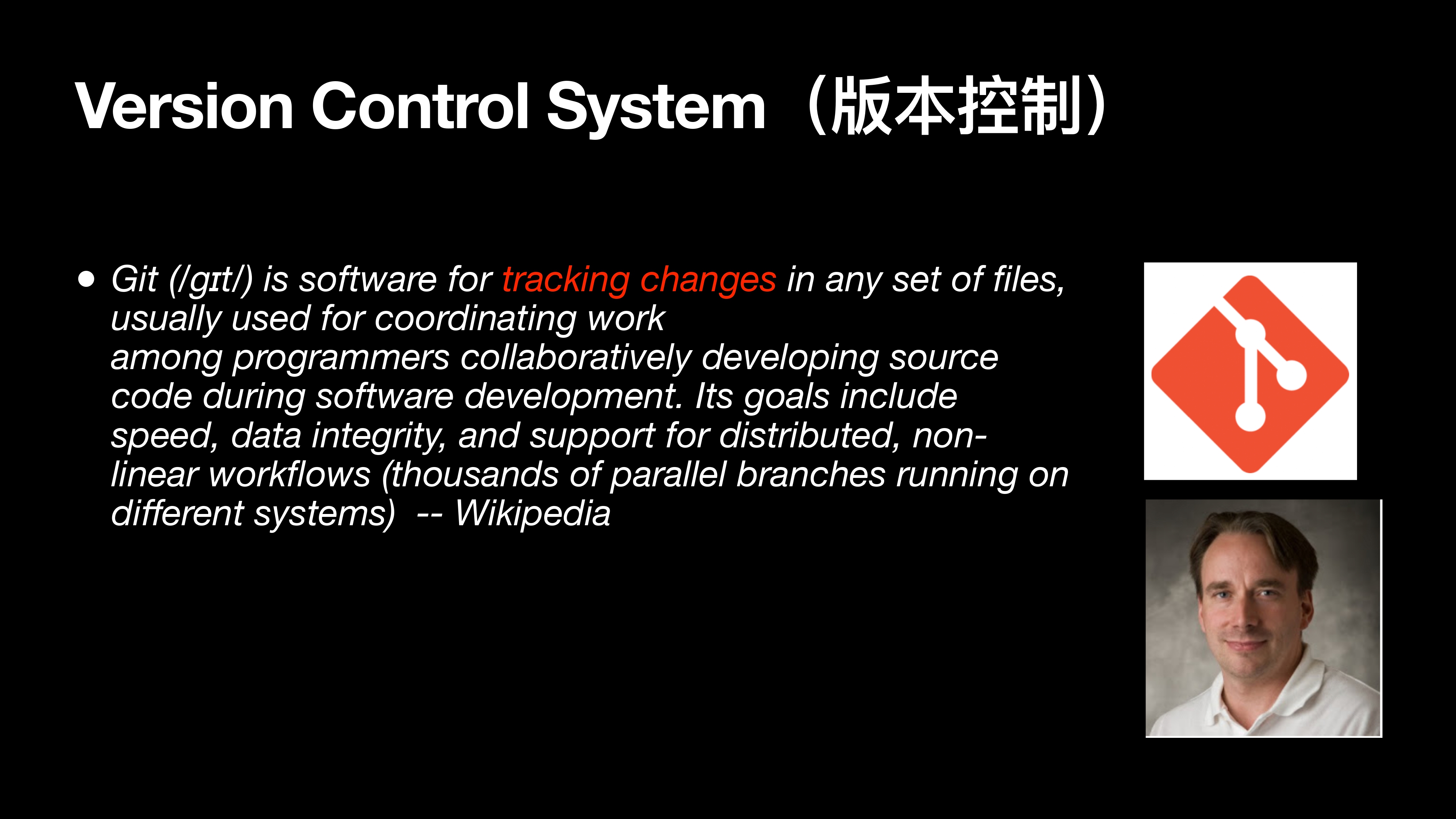
Git 是一个版本控制工具,关键点是 跟踪修改。
Why version control?
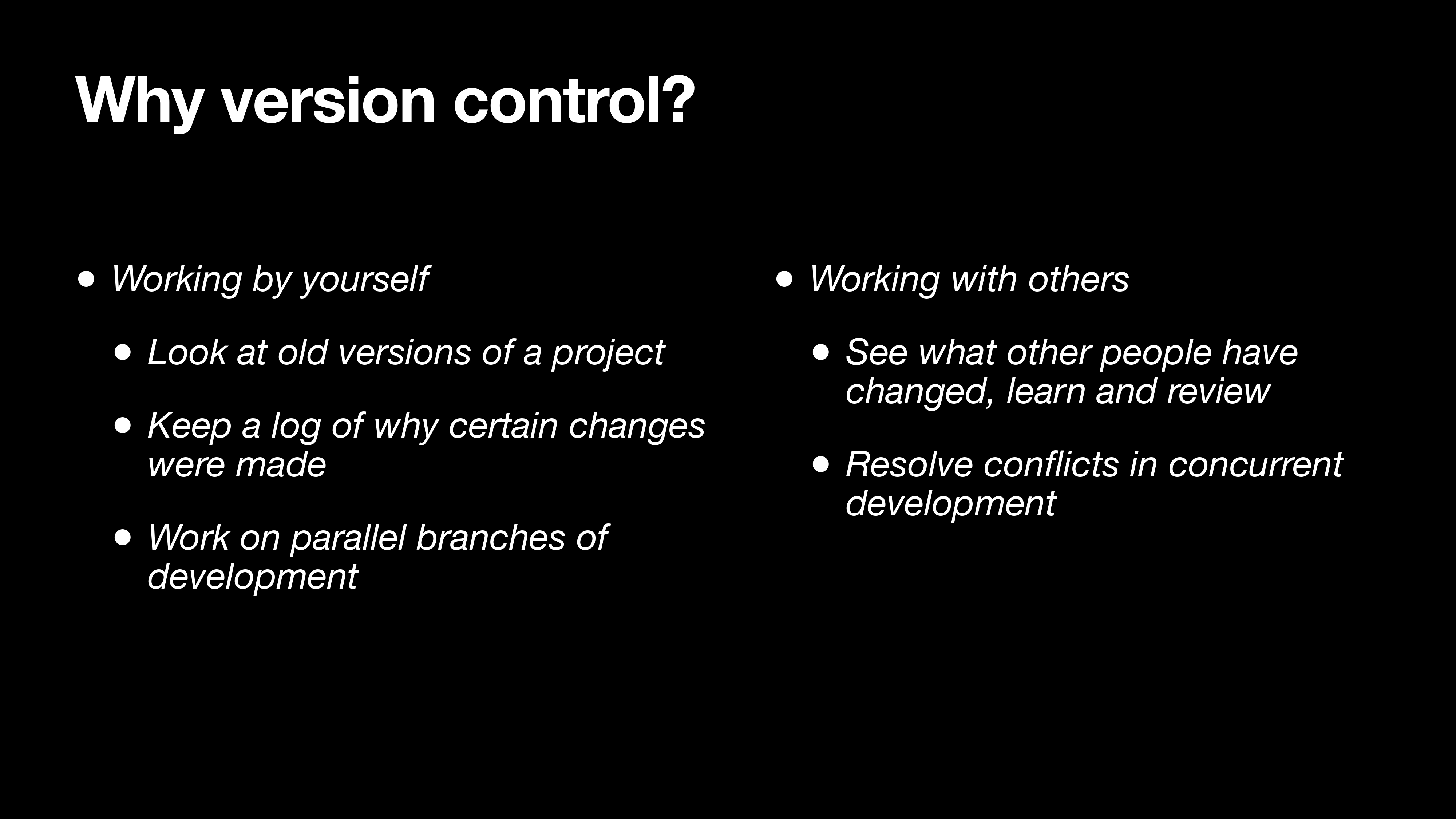
Working by yourself
Look at old versions of a project
Keep a log of why certain changes were made
Work on parallel branches of development
Working with others
- See what other people have changed, learn and review
- Resolve conflicts in concurrent development
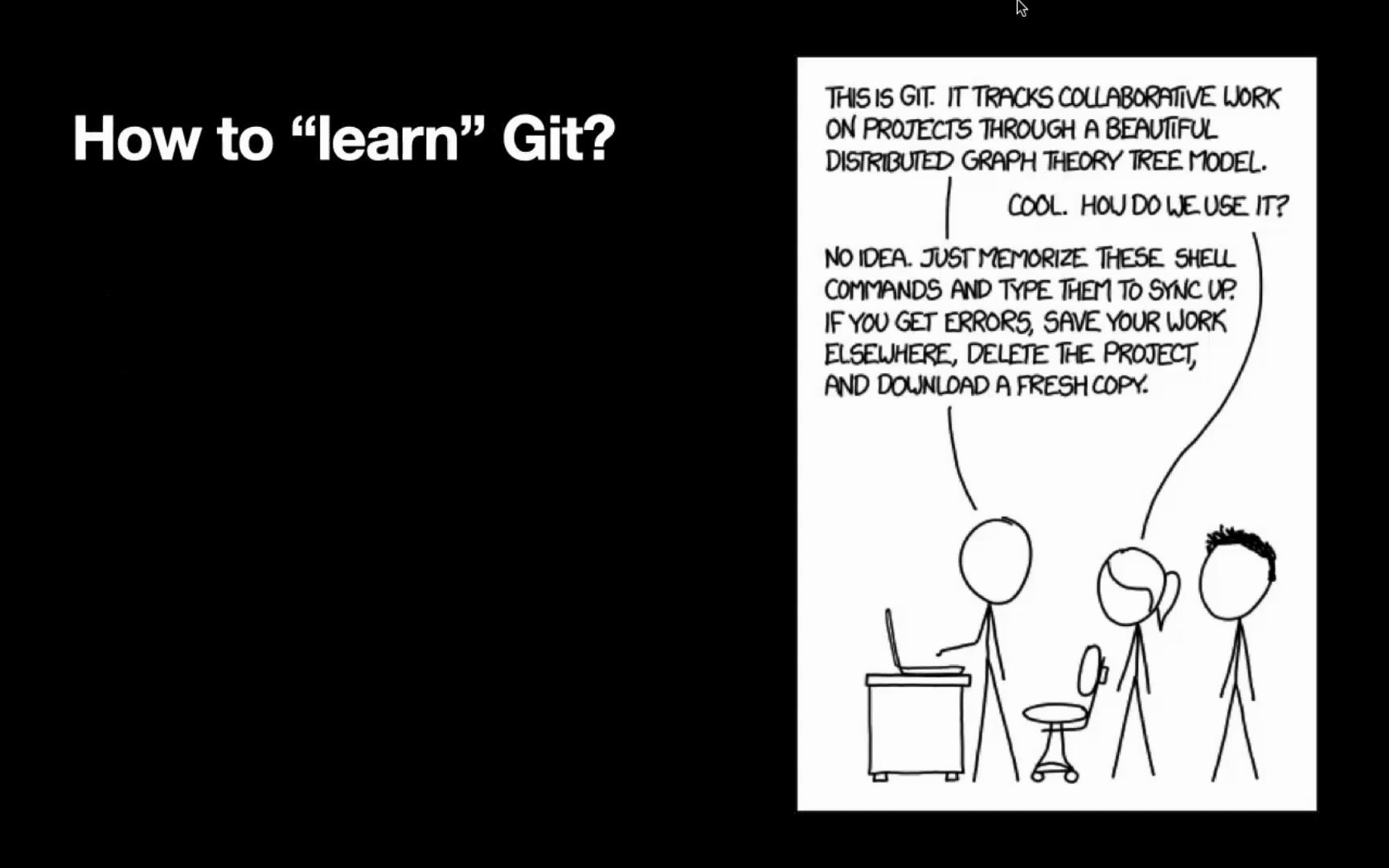
How to “learn” Git?
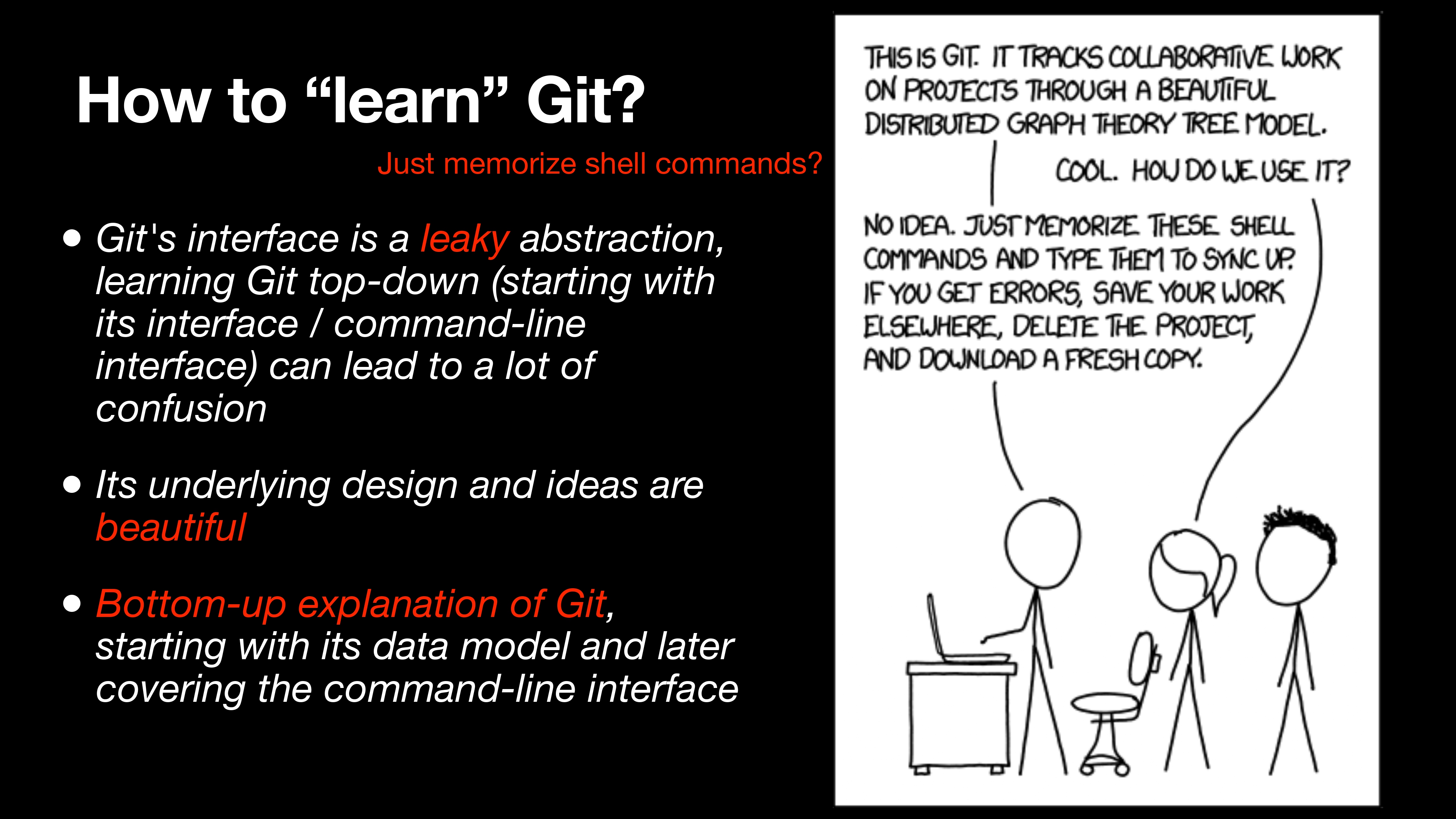
- Git’s interface is a leaky abstraction, learning Git top-down (starting with its interface / command-line interface) can lead to a lot of confusion
- Its underlying design and ideas are beautiful
- Bottom-up explanation of Git, starting with its data model and later covering the command-line interface
Git 的接口抽象又复杂,但内部的设计非常的简洁,所以我们推荐自底向上学习它内部的逻辑,再来看接口如何映射到逻辑。
Thinking of history: story of snapshots
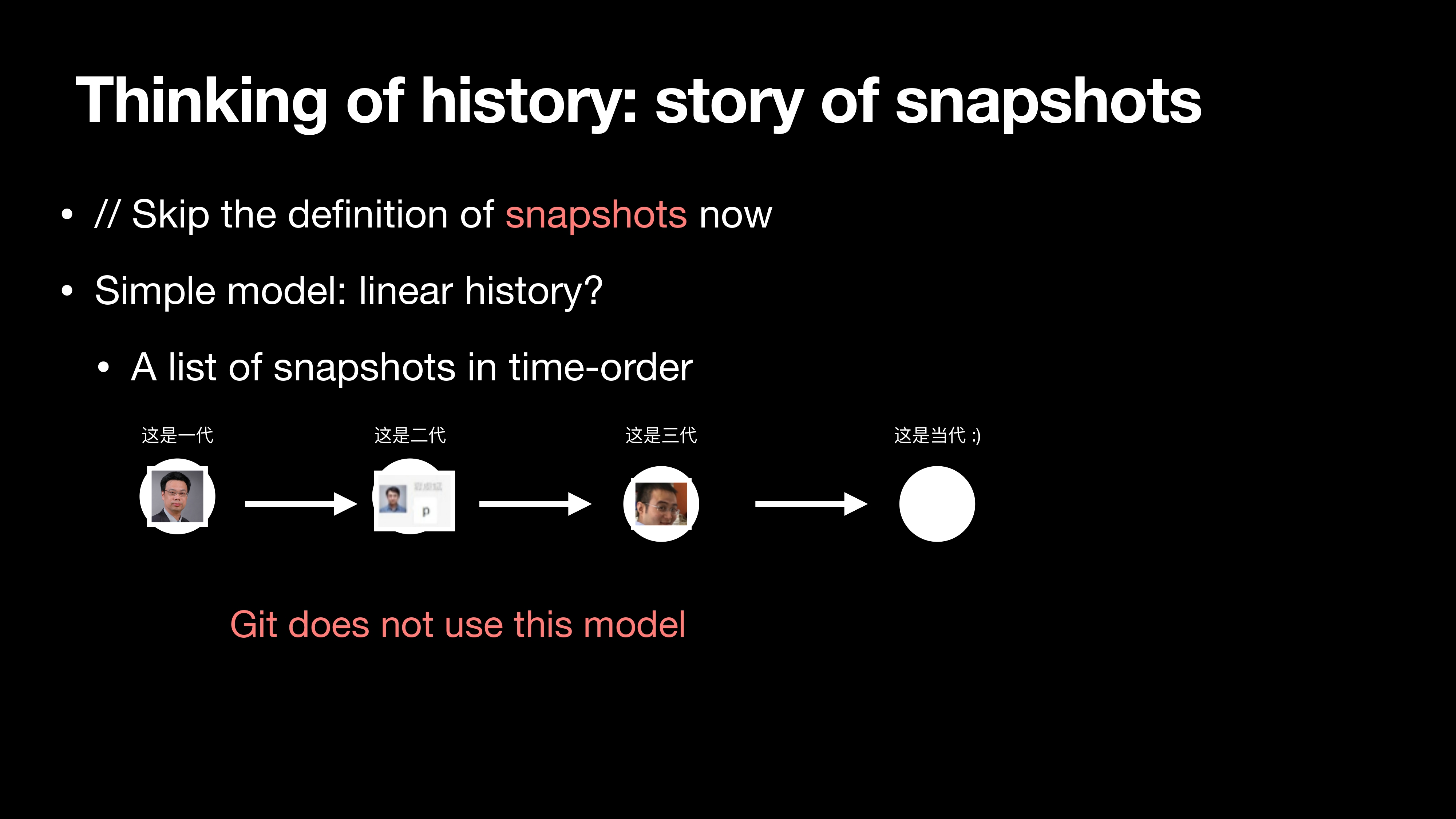
图中展示了线性版本之间的关系,早期的版本控制大家也确实是这么用的。但是 Git 没有用这个模型。
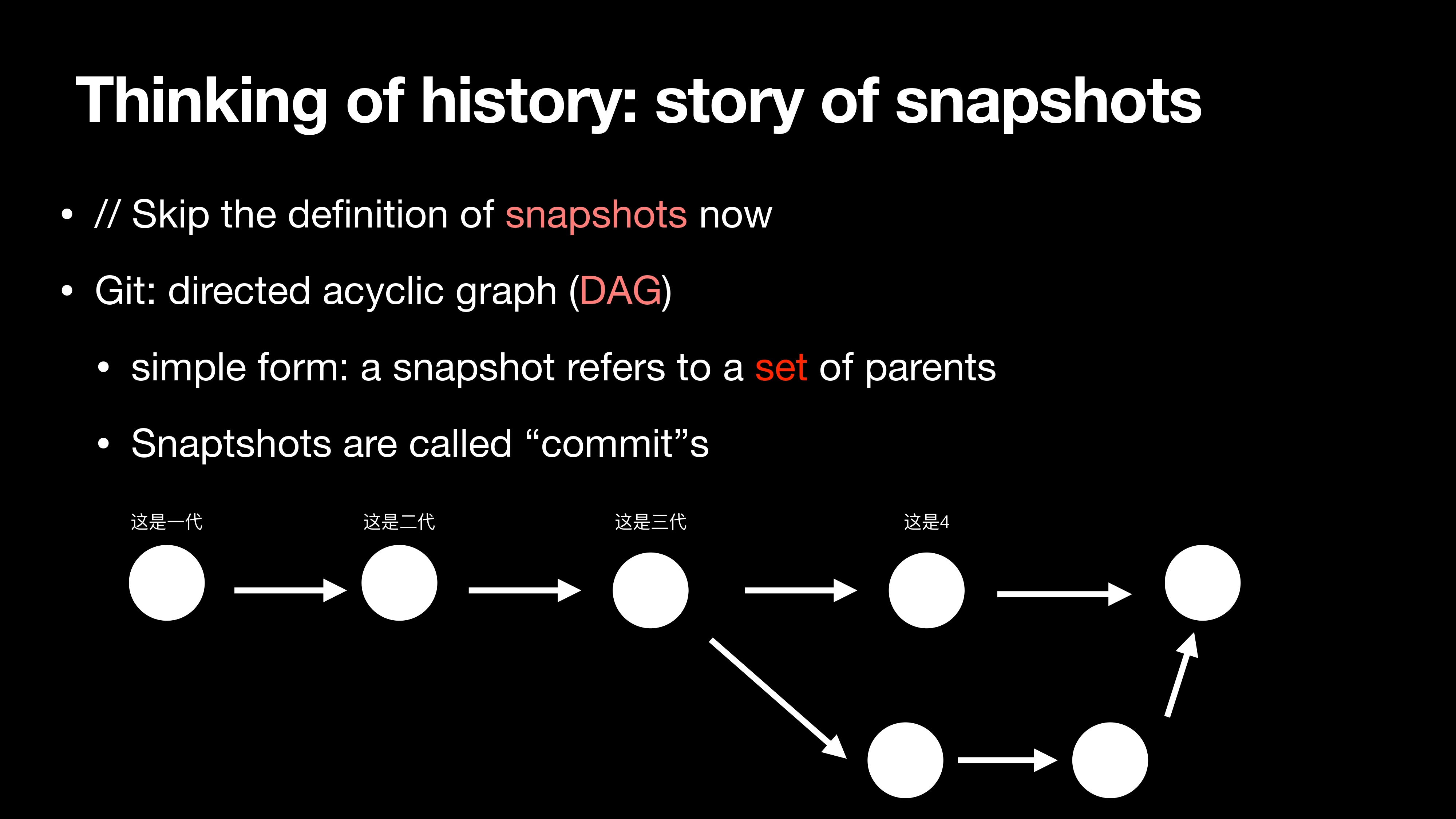
Git 使用的模型是有向无环图(DAG),它允许一个 snapshot 有多个父亲,Git 通过有向无环图这种方式维护历史。
Commit/Snapshot: who are you?
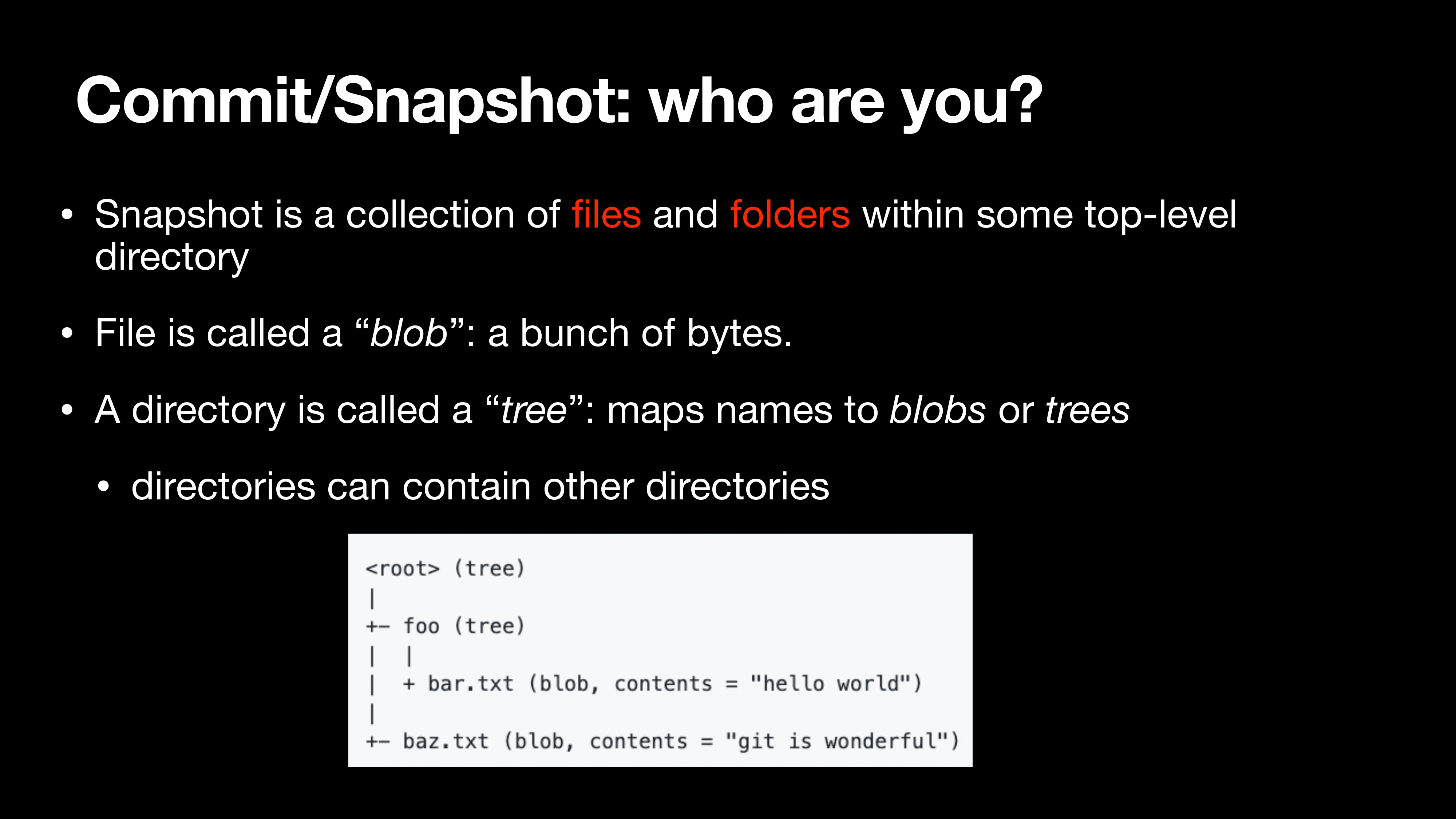
Snapshot is a collection of files and folders within some top-level directory
File is called a “blob”: a bunch of bytes.
A directory is called a “tree”: maps names to blobs or trees
- directories can contain other directories
Commit 和 Snapshot 又是什么呢?在 Git 中他们把 文件 和 目录 的结合,其中文件被称为“blob”(一堆字符);目录是一棵树,它可以包含 blobs 和 tree。
1 | <root> (tree) |
Data models
Data model as Code
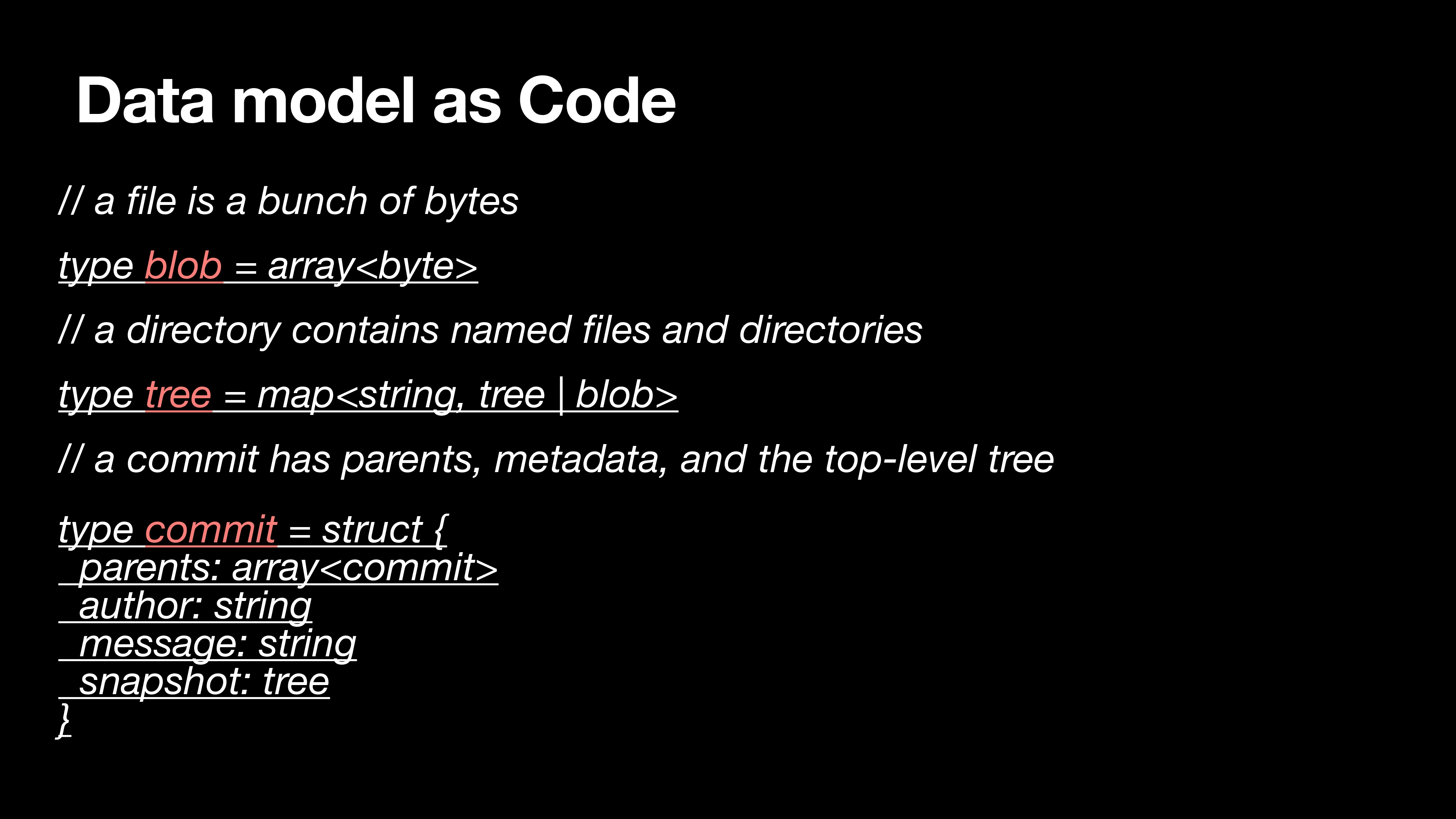
1 | // a file is a bunch of bytes |
Objects and content-addressing
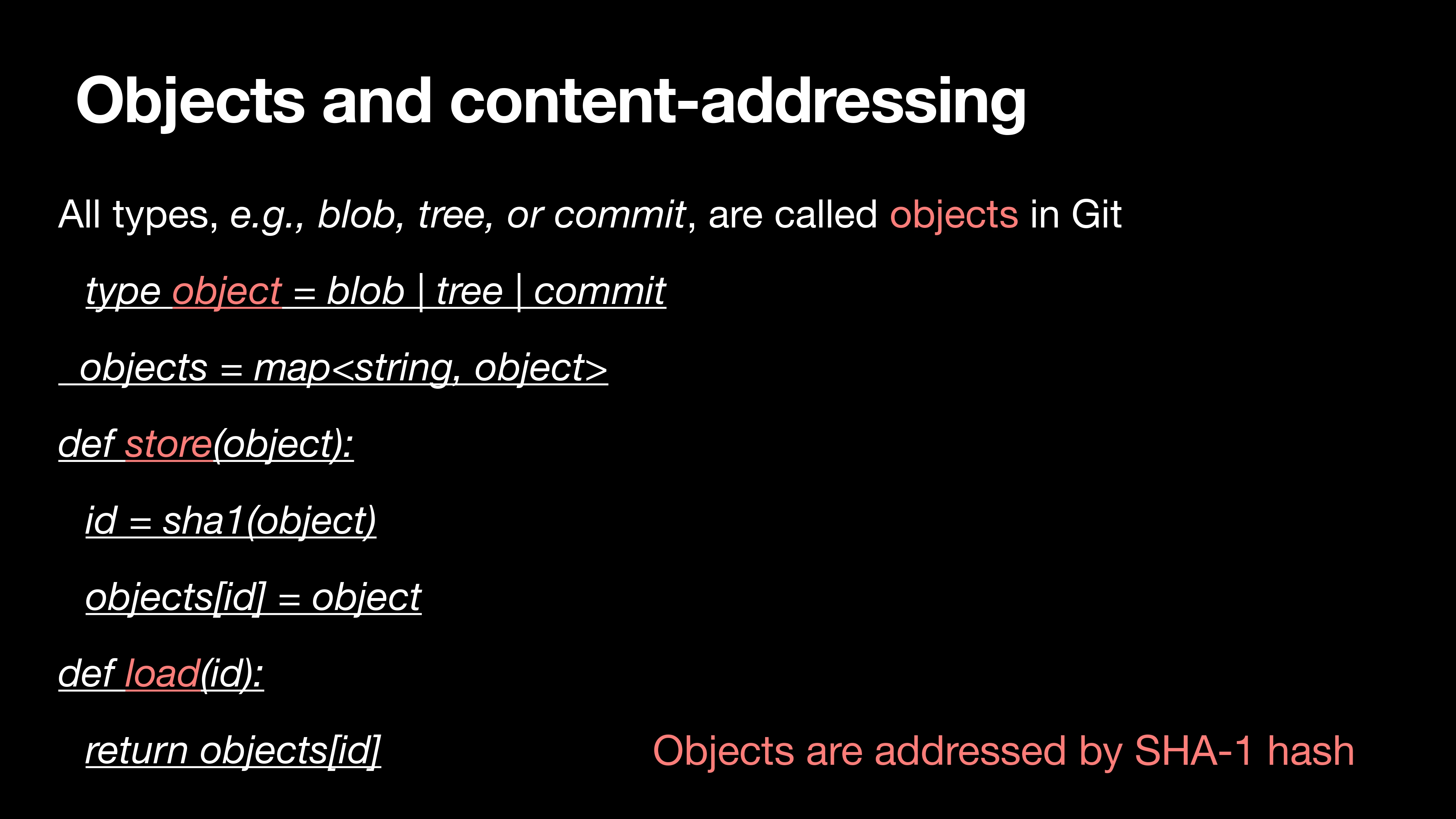
1 | type object = blob | tree | commit |
刚才提到的 blob、tree 和 commit 都可以归为 object,在 Git 中所有的 object 都是通过 SHA 哈希定位。
SHA-1 is not for Human, References are
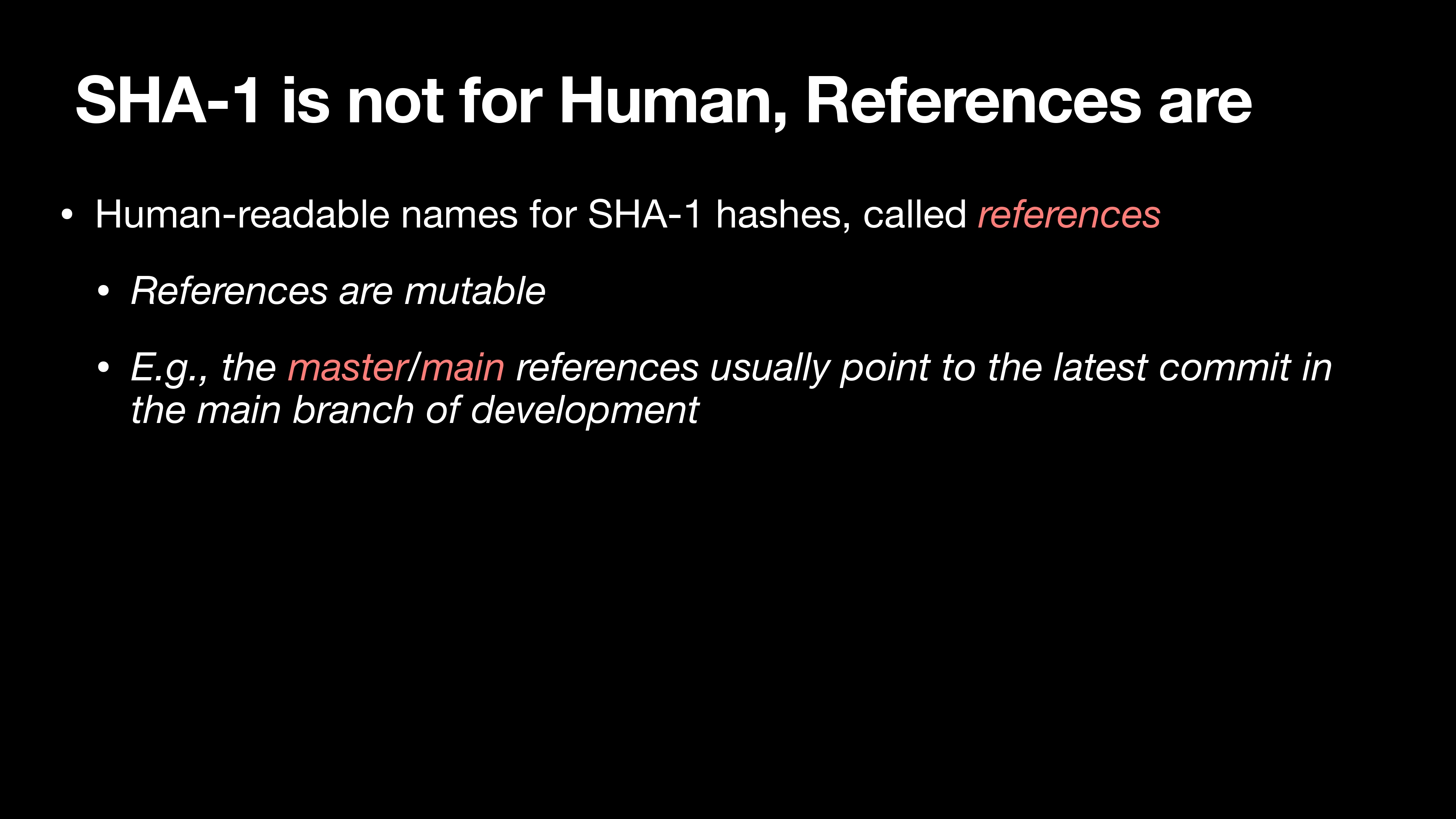
Human-readable names for SHA-1 hashes, called references
References are mutable
E.g., the master/main references usually point to the latest commit in the main branch of development
Git 为了易用性引入了 references 概念,可以简单视为指针。我们平常使用的 master/main 其实都是 SHA-1 的代名词。
References as Code
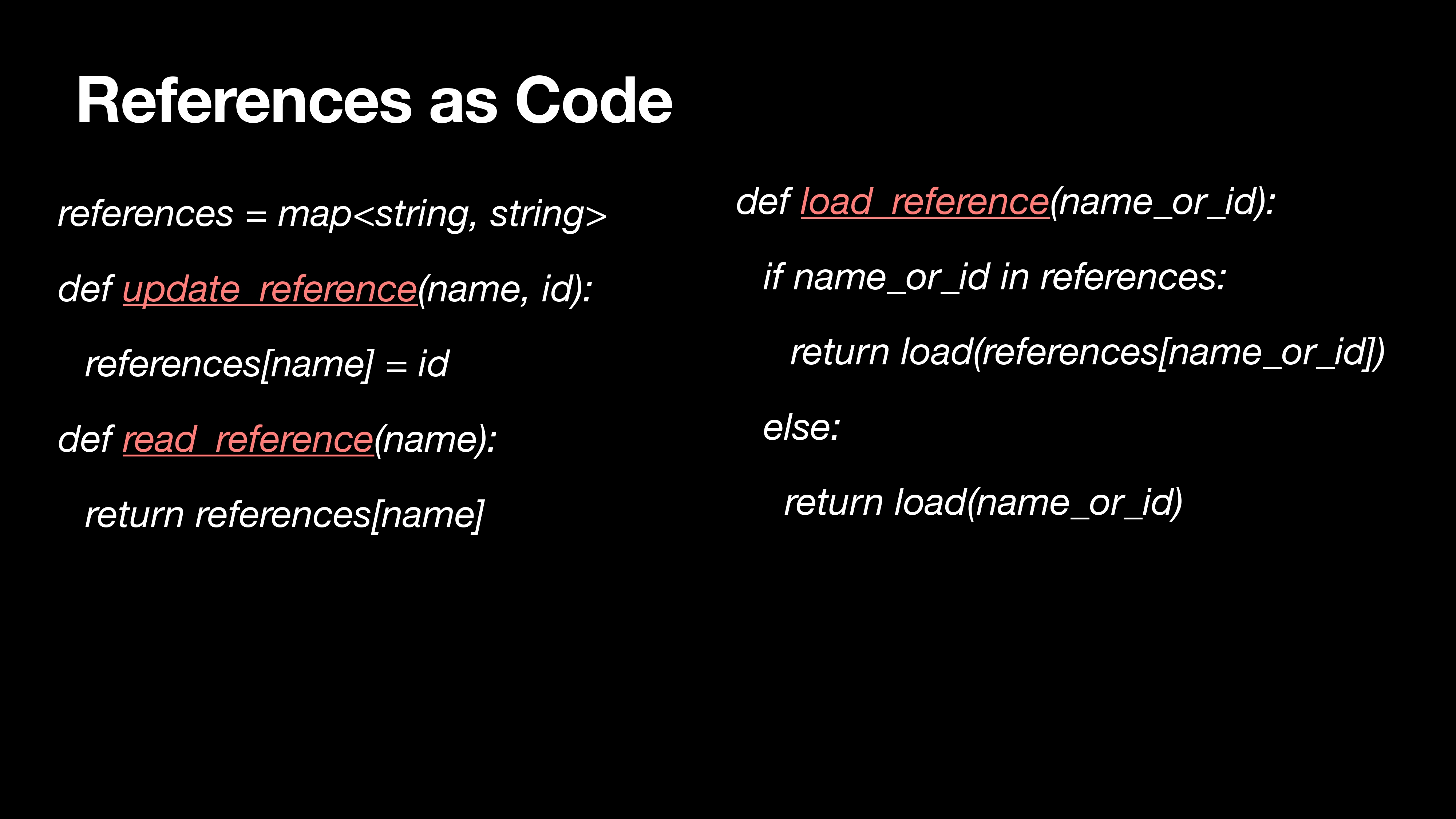
1 | references = map<string, string> |
The last piece: Repositories & Staging Area
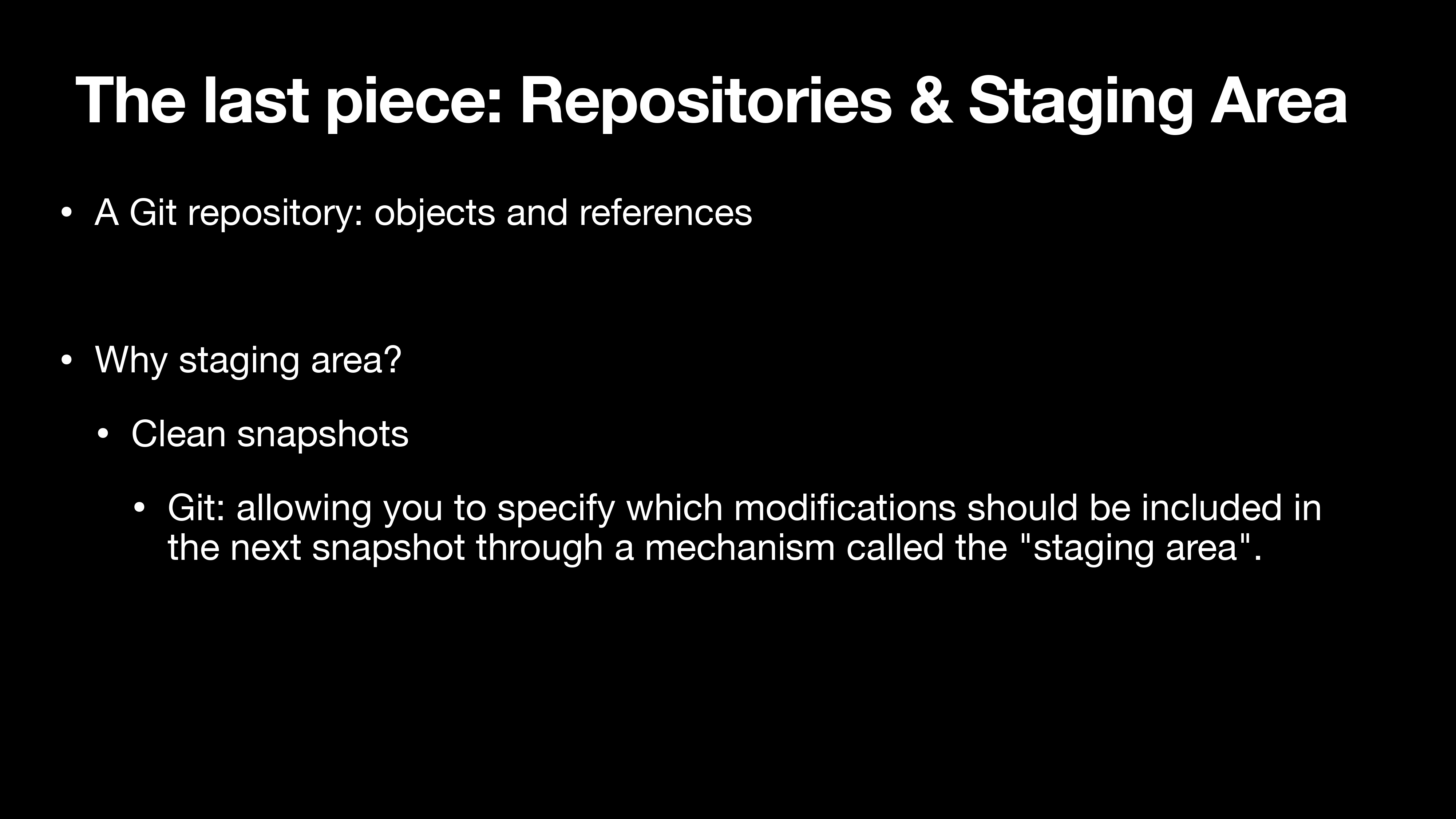
A Git repository: objects and references
Why staging area?
- Clean snapshots
- Git: allowing you to specify which modifications should be included in the next snapshot through a mechanism called the “staging area”.
Git 仓库就是 objects 和 reference,我们下载下来后可能会有 master 或者 main 分支,分支本身又是一个 reference,reference 会产生一个 id 指向 object。通过这样的方式 Git 维护整个项目。
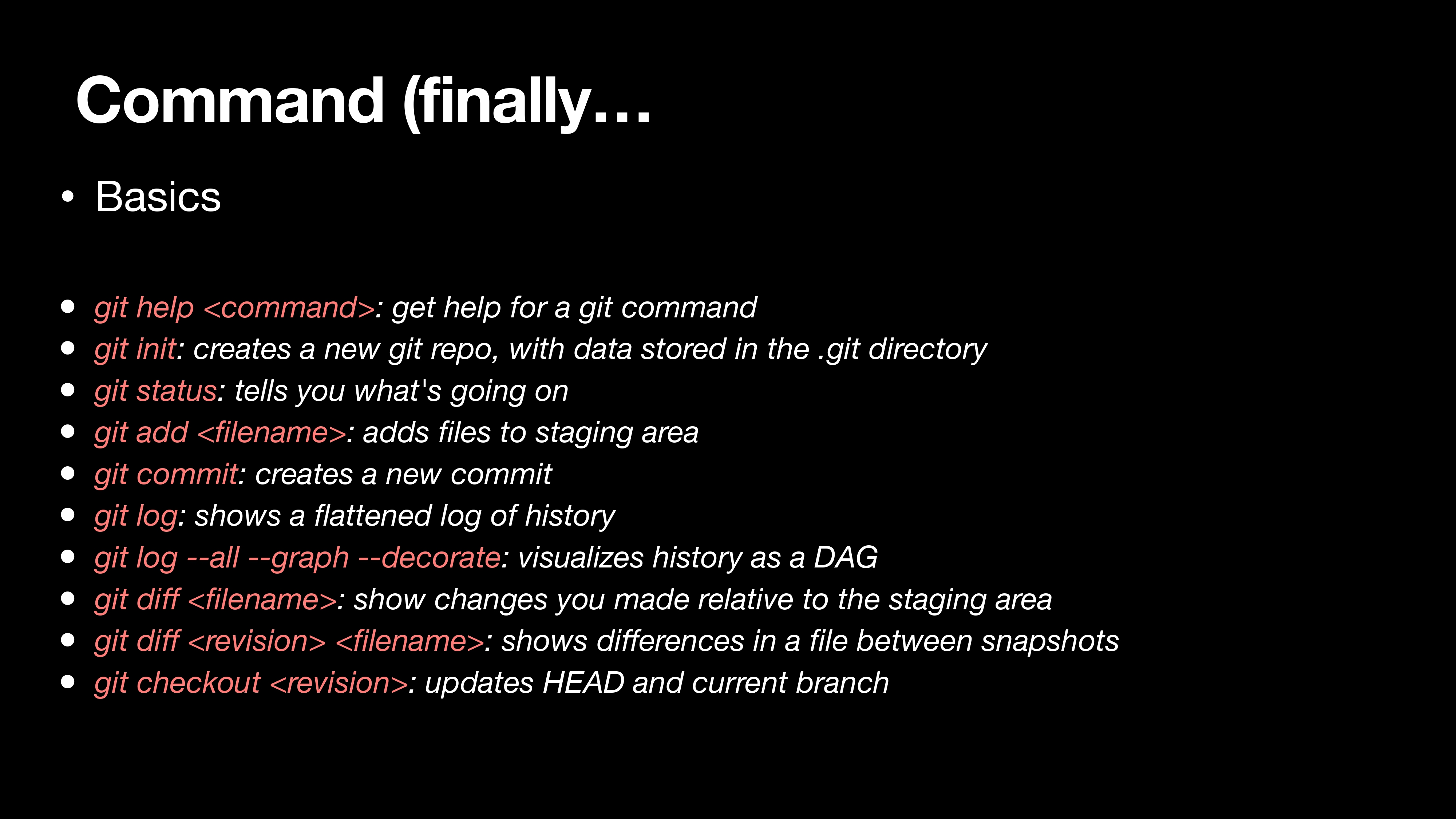
Commands
Scenario-1: work on a local project
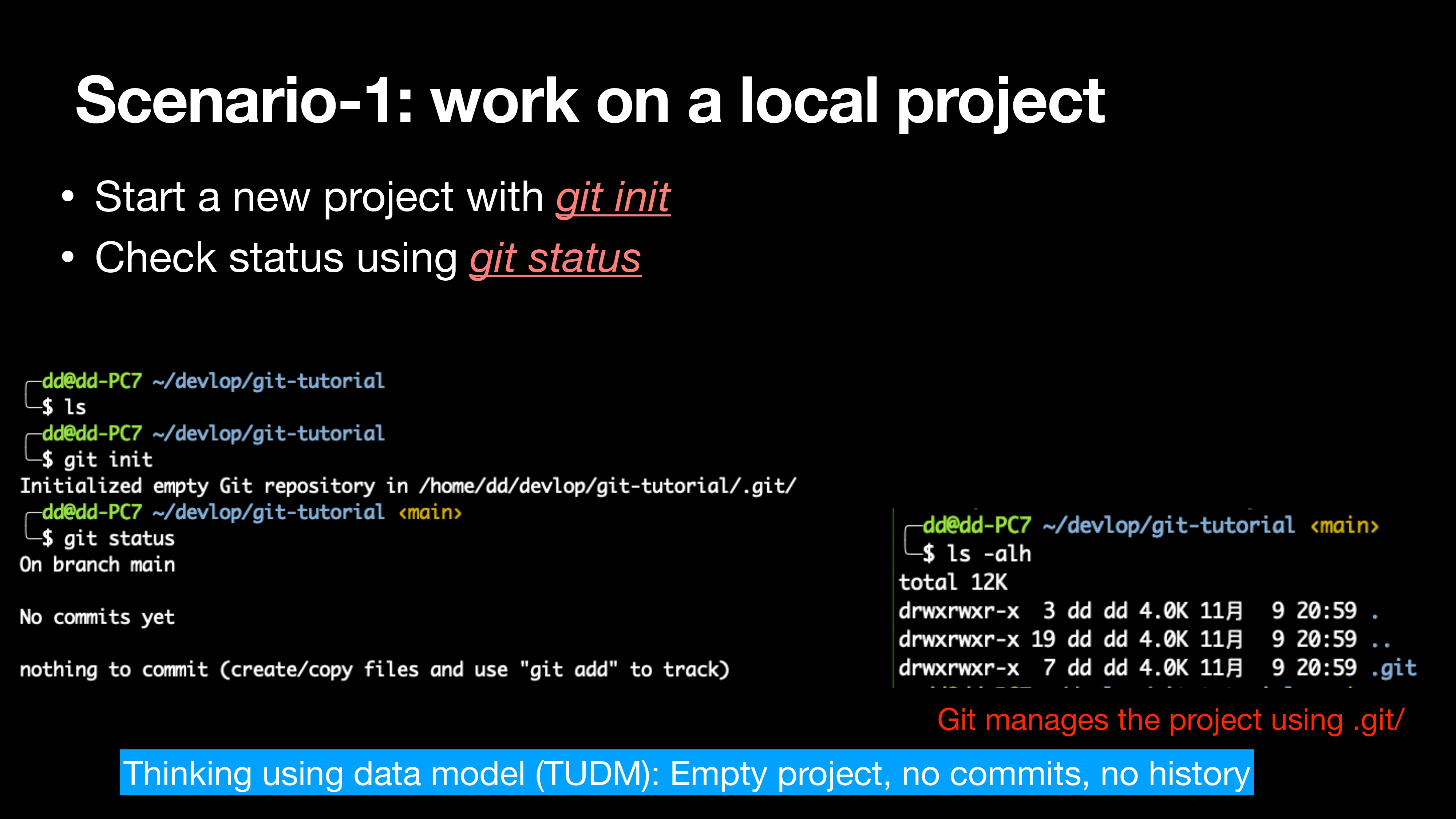
- Start a new project with git init
- Check status using git status
1 | git init |
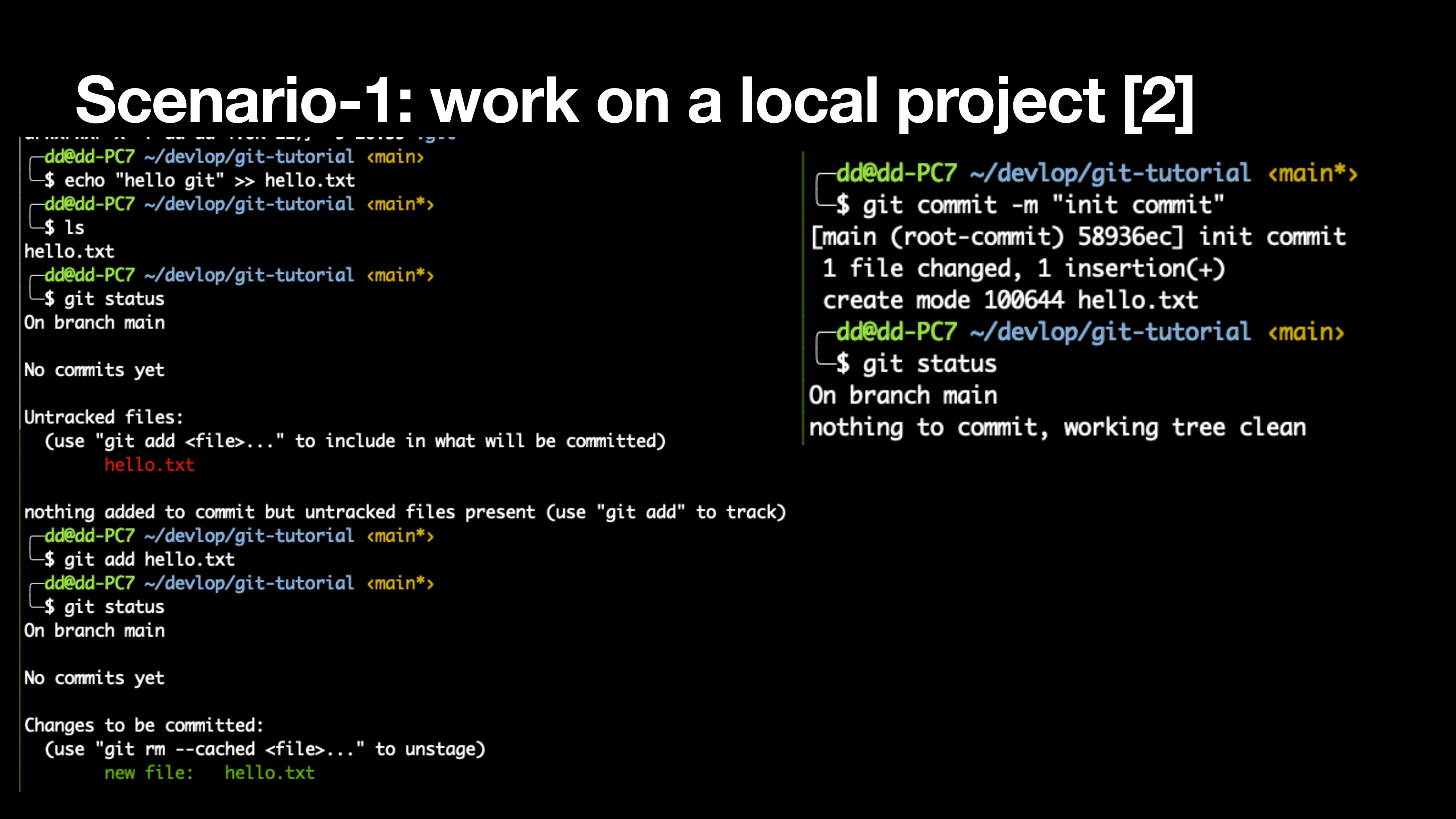
1 | echo "hello git" >> hello.txt |
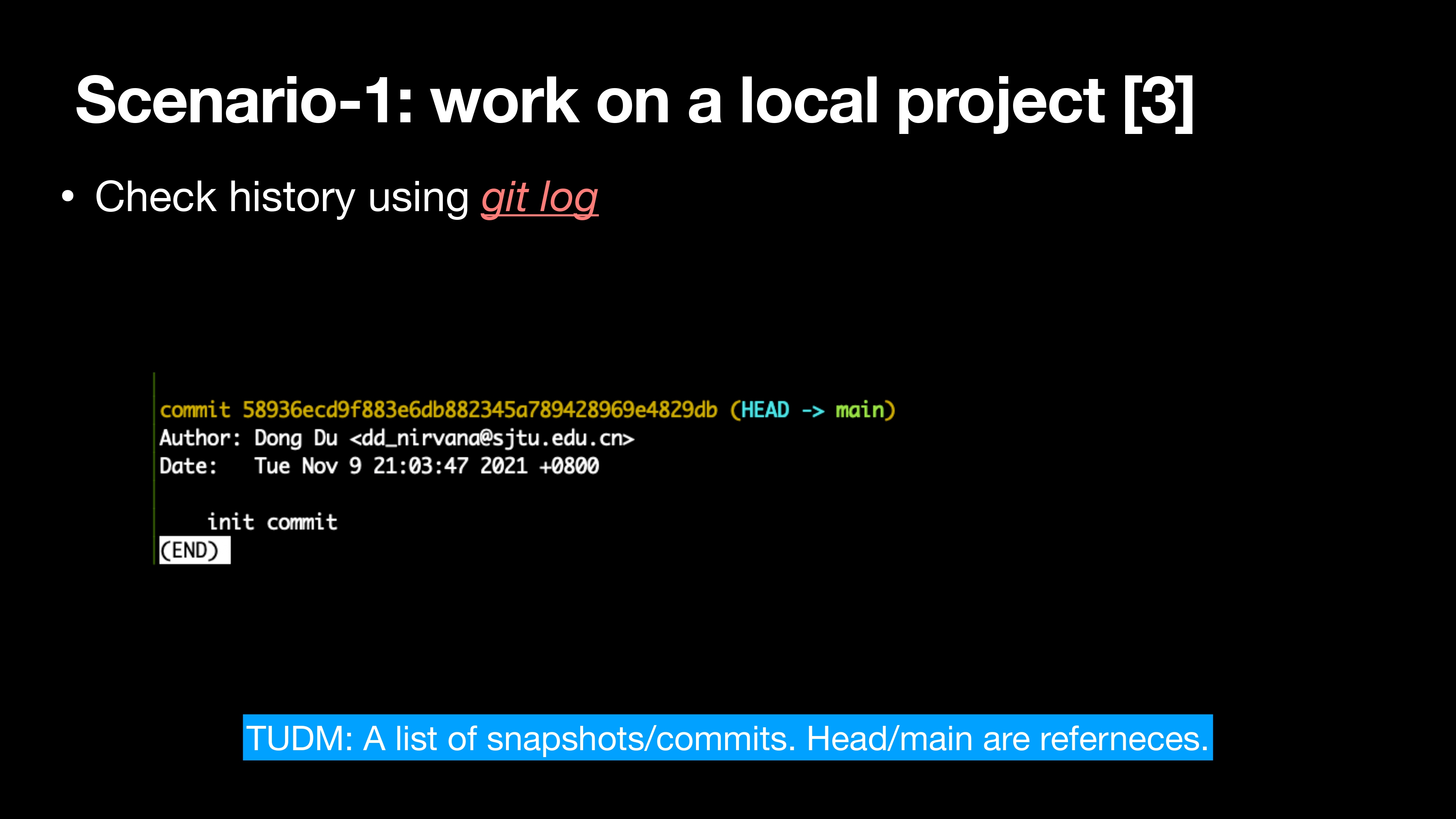
Check history using git log
1 | git log |
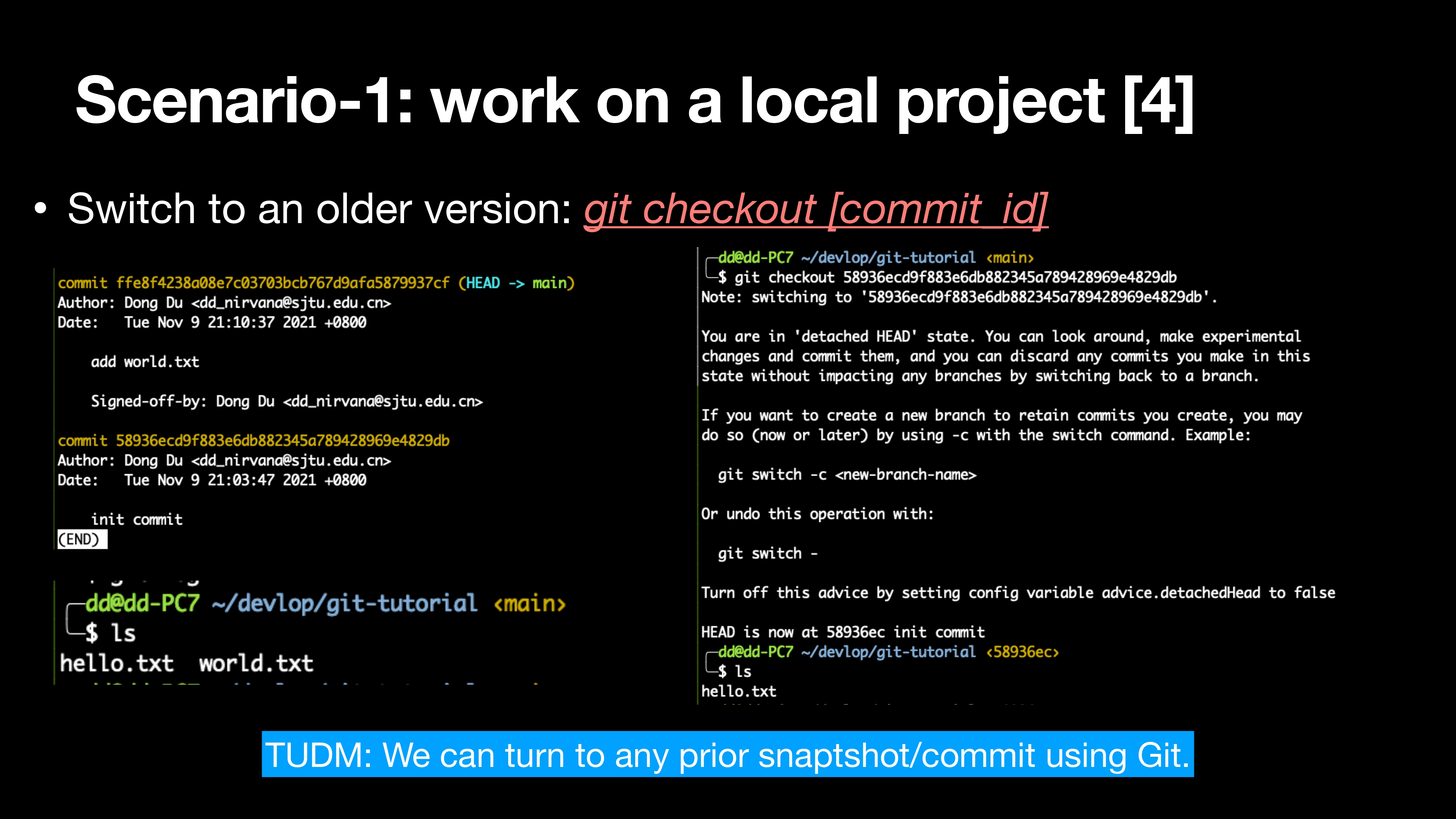
Switch to an older version: git checkout [commit_id]
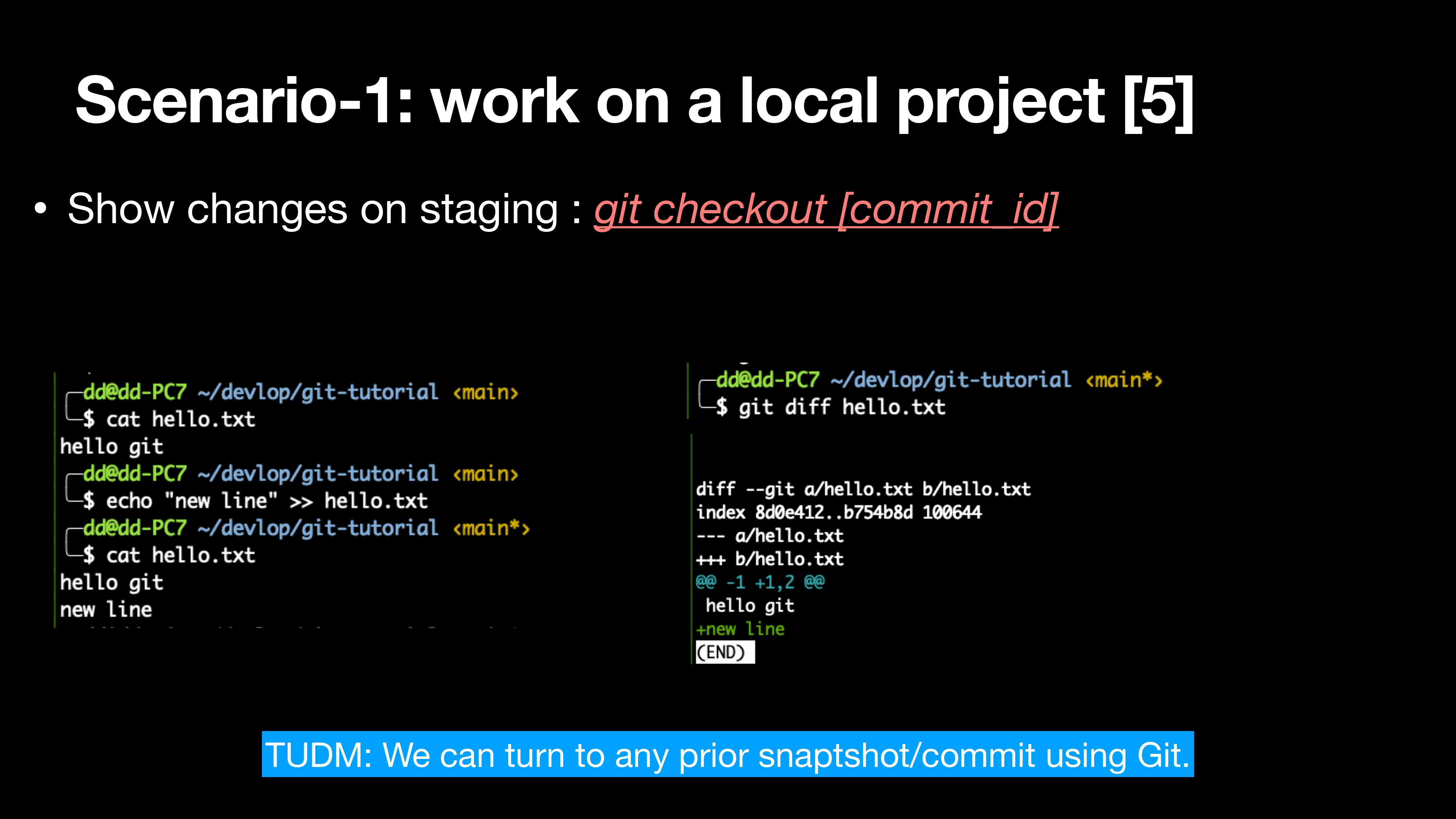
Show changes on staging : git checkout [commit_id]
1 | cd hello.txt |
Scenario-1: summary
- Tracking history
- A better way to manage your project
- A single commit to implement a single functionalities
- Easily roll-back to a workable version
- …
简单总结我们发现 Git 的基本功能可以让你非常方便的去管理你的本地项目,可以让你做一些修改保存更新,也可以回滚到之前的状态做一些测试。
Tips: How to write a “useful” commit msg?
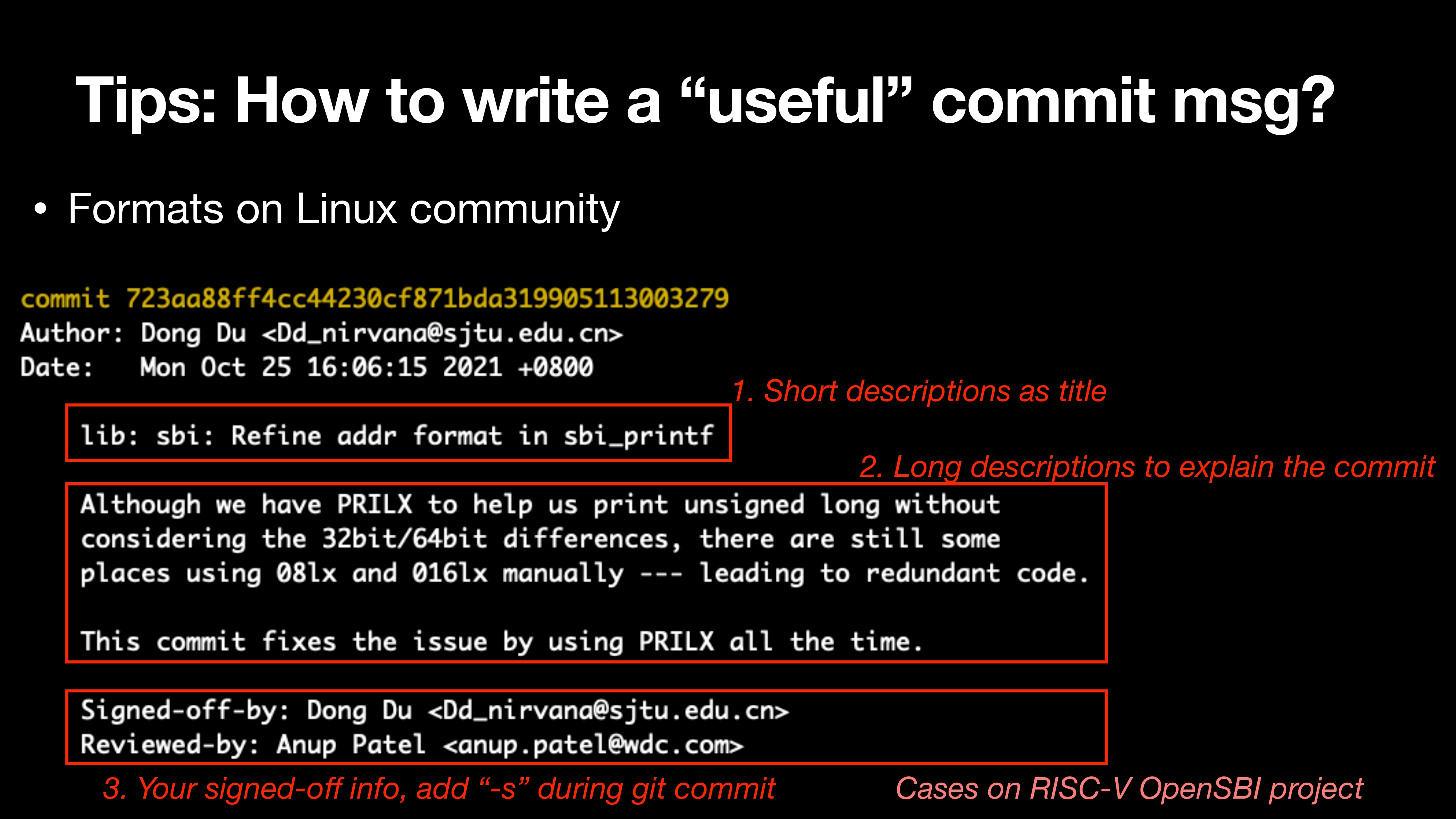
可以参考 Linux 社区的 commit 格式。
Command (finally…[2]
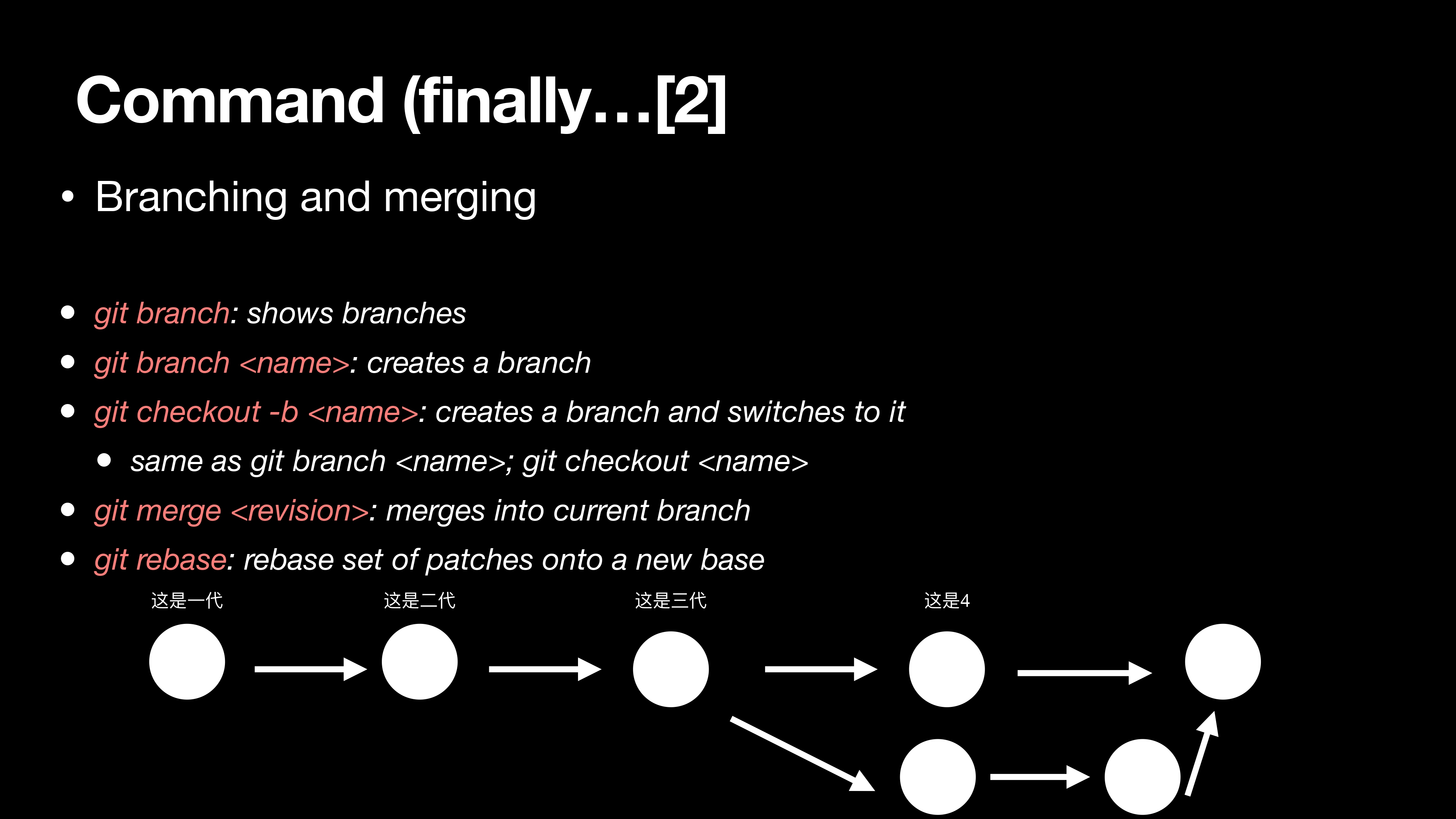
之前提到 Git 使用 DAG 模型,所以会有分支。在实际应用中我们的主要问题是:
- 如何创建分支
- 如何合并多个分支
Scenario-2: Debugging
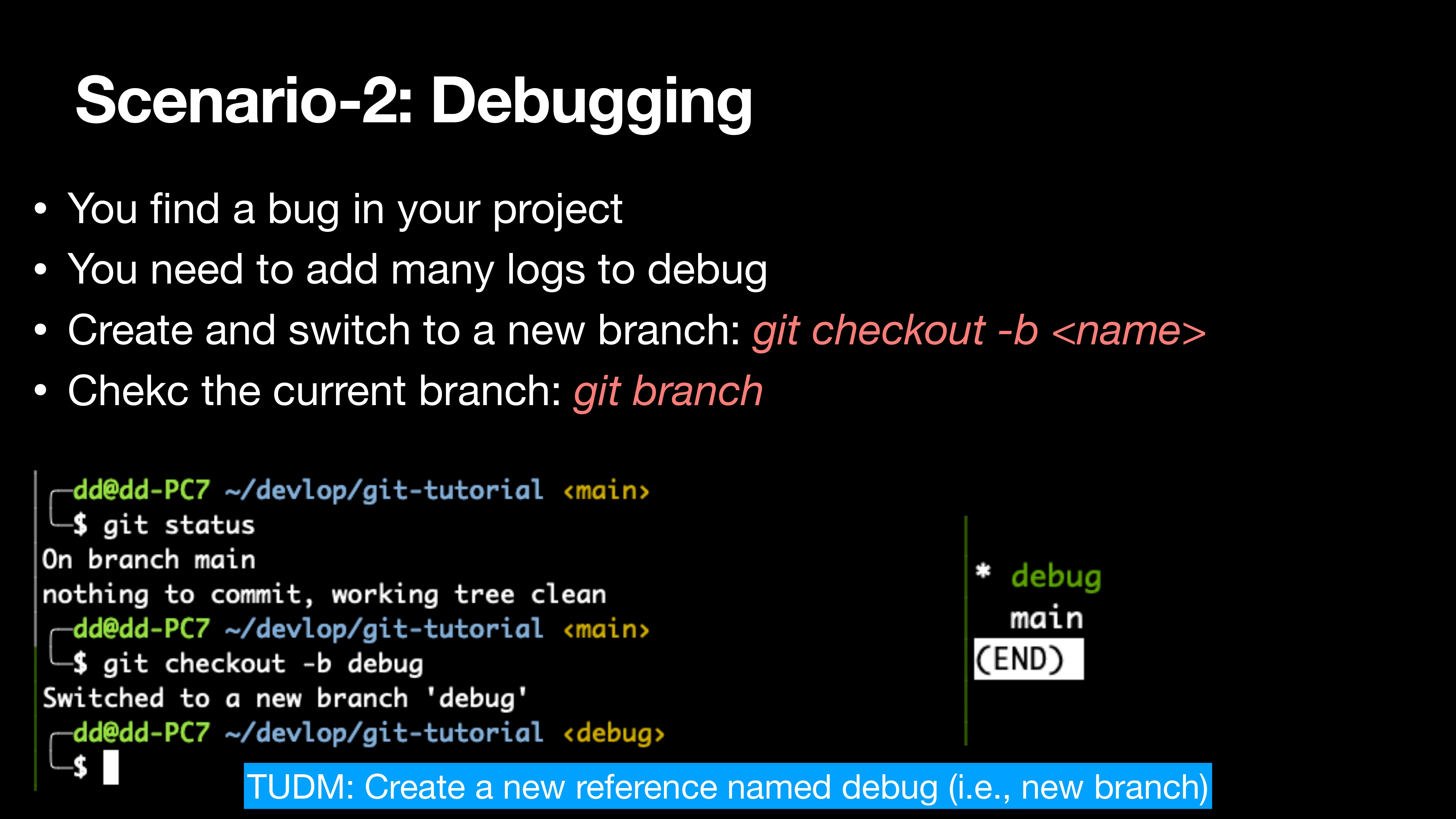
- You find a bug in your project
- You need to add many logs to debug
- Create and switch to a new branch: git checkout -b
- Chekc the current branch: git branch
假设你在项目中发现了一个 bug,然后你希望在项目中加很多 log 和 printf 去 debug。我们可以选择切换到一个新的分支。
1 | git status |
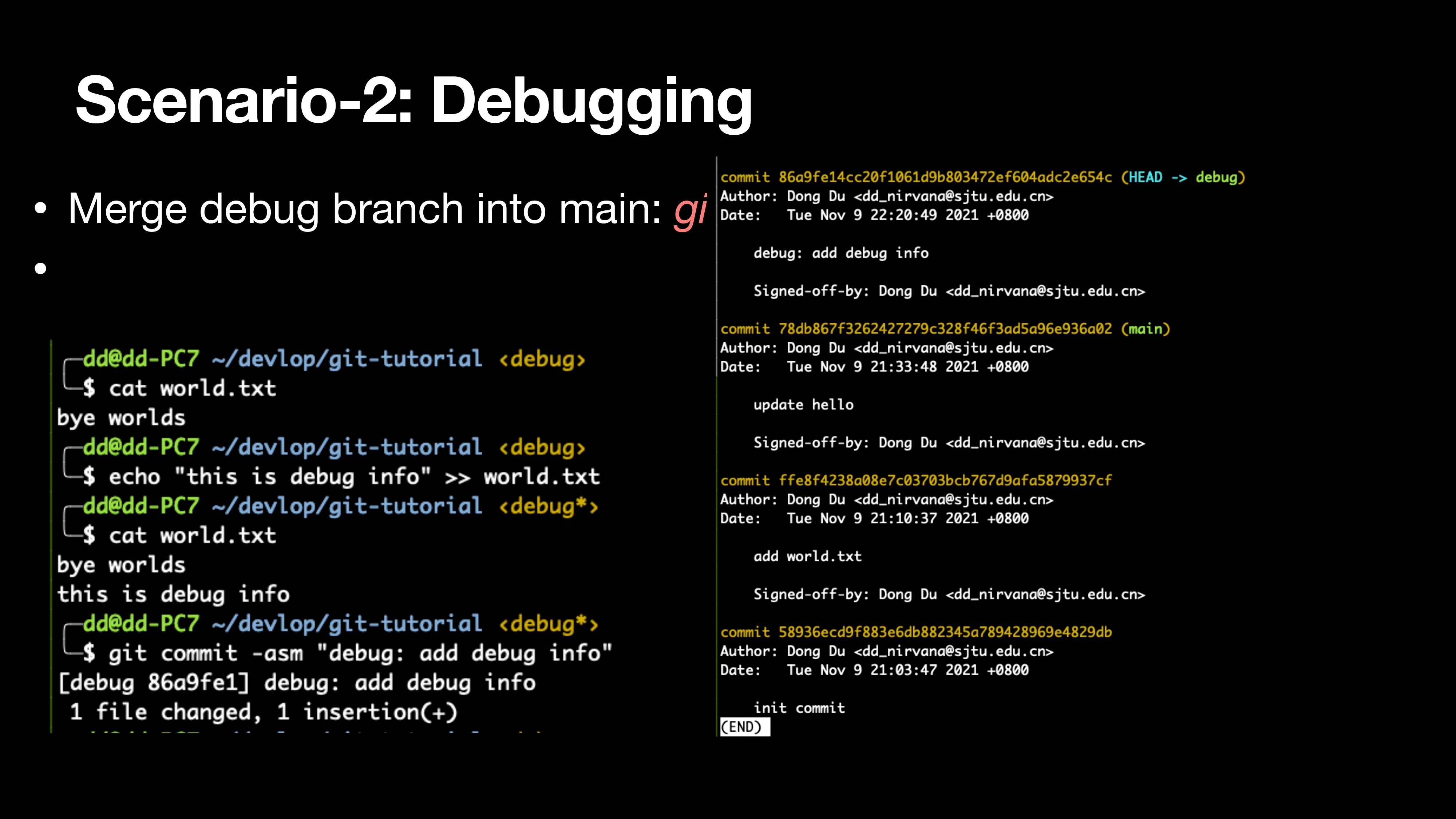
Merge debug branch into main: git merge
1 | git commit -asm "debug: add debug info" |
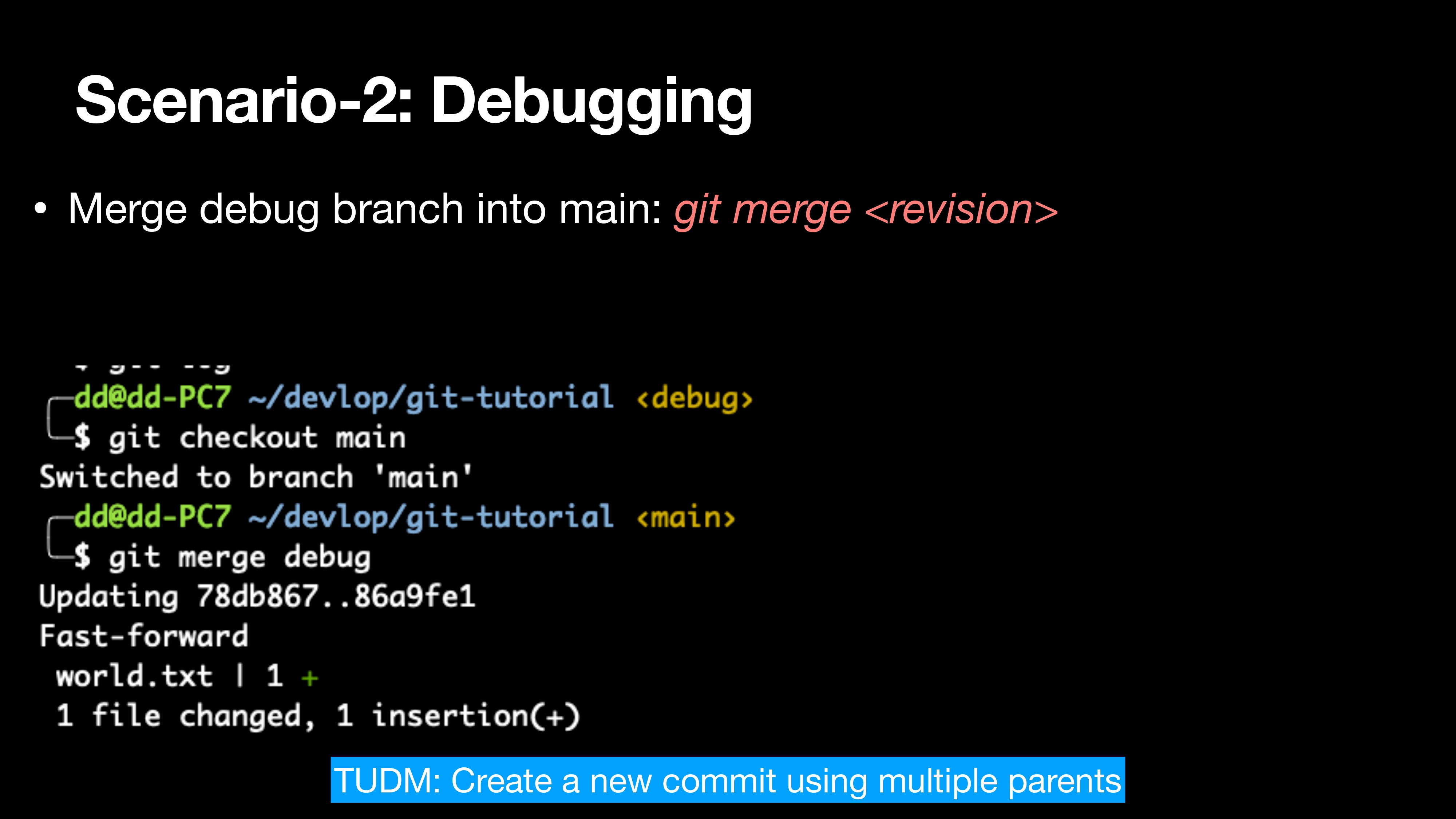
Merge debug branch into main: git merge
1 | git checkout main |
When you rush papers, you may have many branches, implementing features, test cases, debug infos
git rebase: Rebase is thought as one of the most complicated part in Git
简单来说,rebase 是让你在 git 维护的历史 DAG 上调整他们的结构*/*关系的
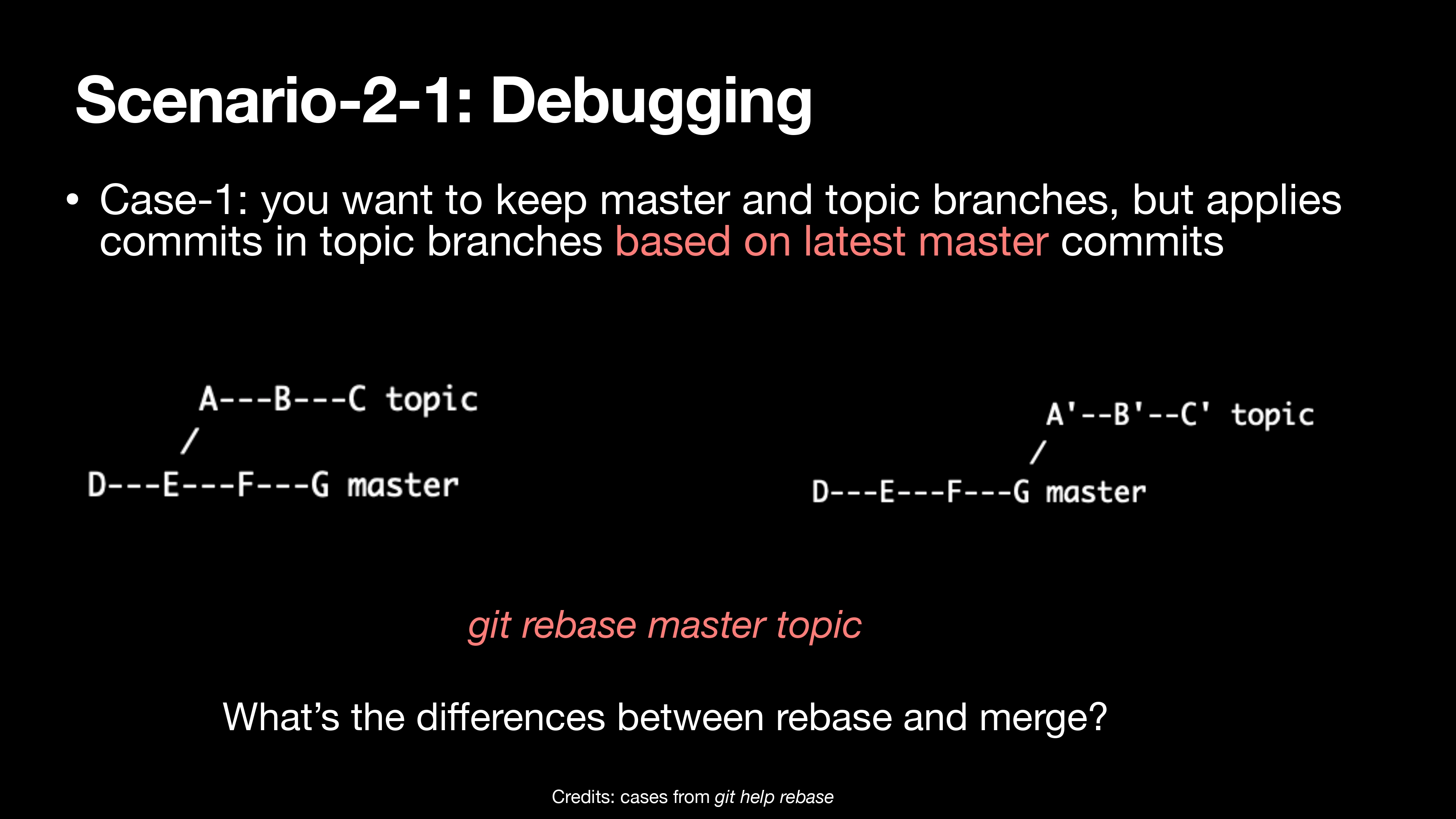
Case-1: you want to keep master and topic branches, but applies commits in topic branches based on latest master commits
1 | git rebase master topic |
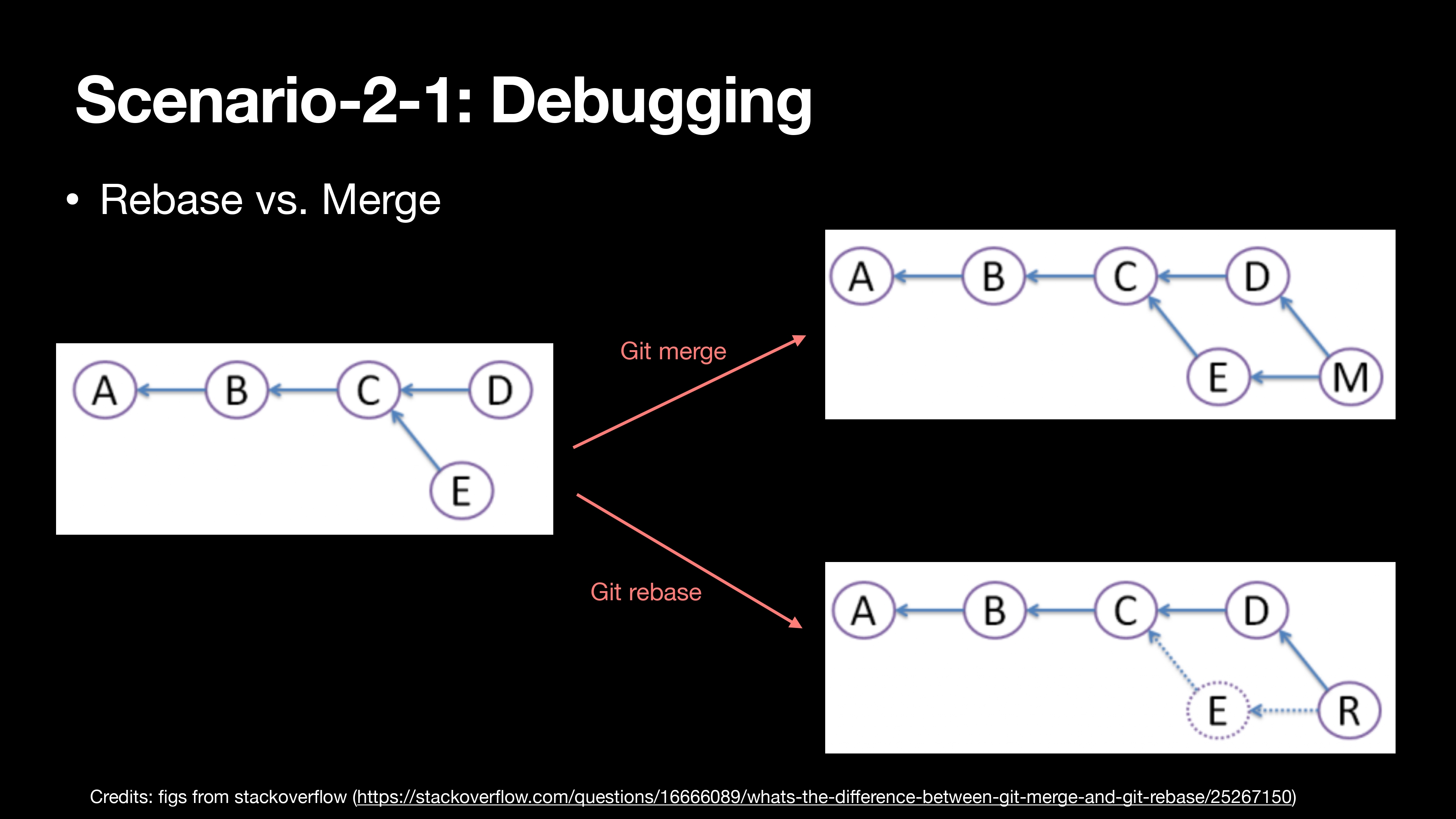
Rebase vs. Merge
Rebase 和 Merge 最大的区别在于 merge 会创建一个新的 commit(如图所示的 M)以继承多个状态,而 rebase 则会把 E 消掉,改变其中的顺序关系。
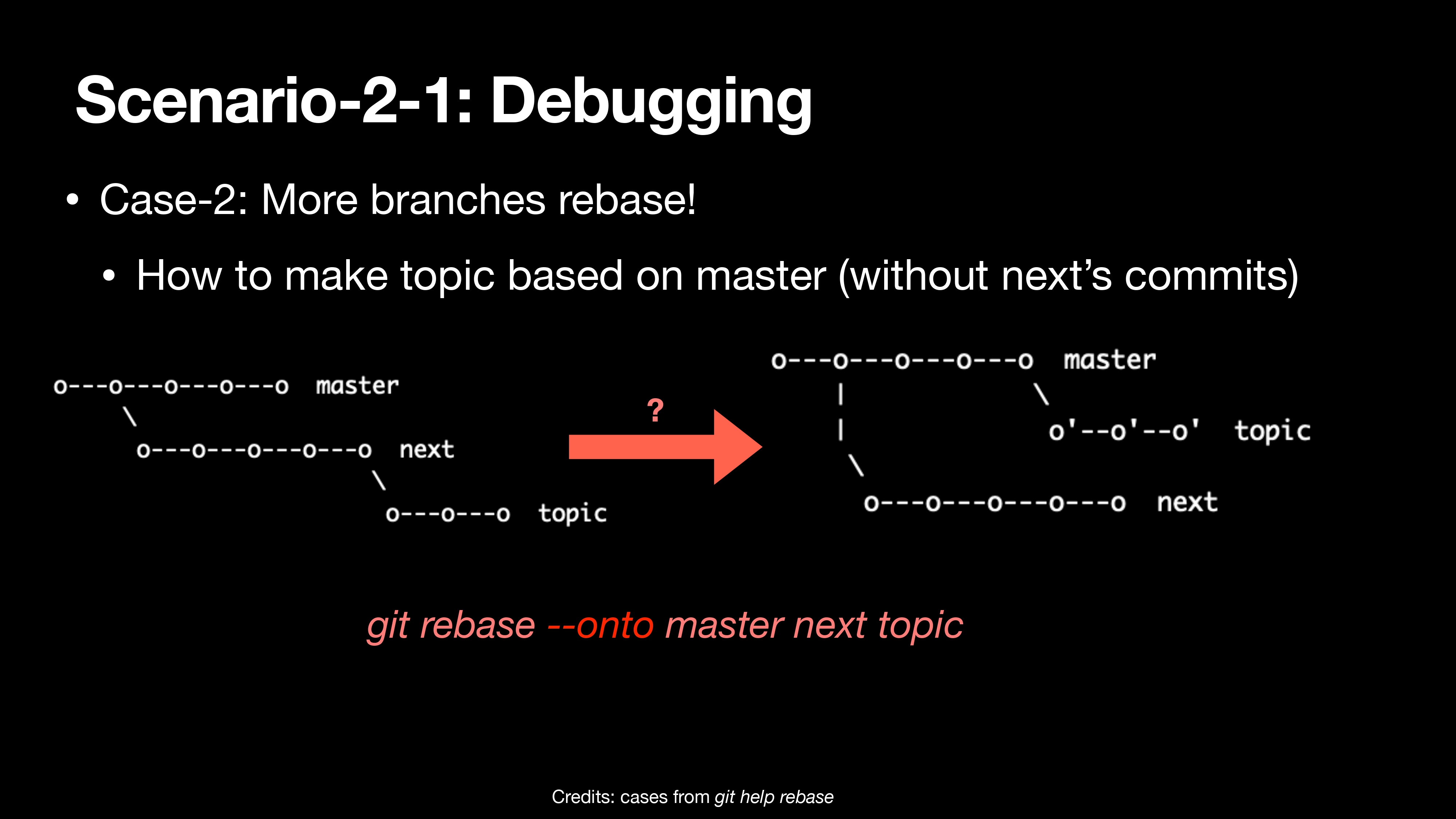
- Case-2: More branches rebase!
- How to make topic based on master (without next’s commits)
1 | git rebase --onto master next topic |
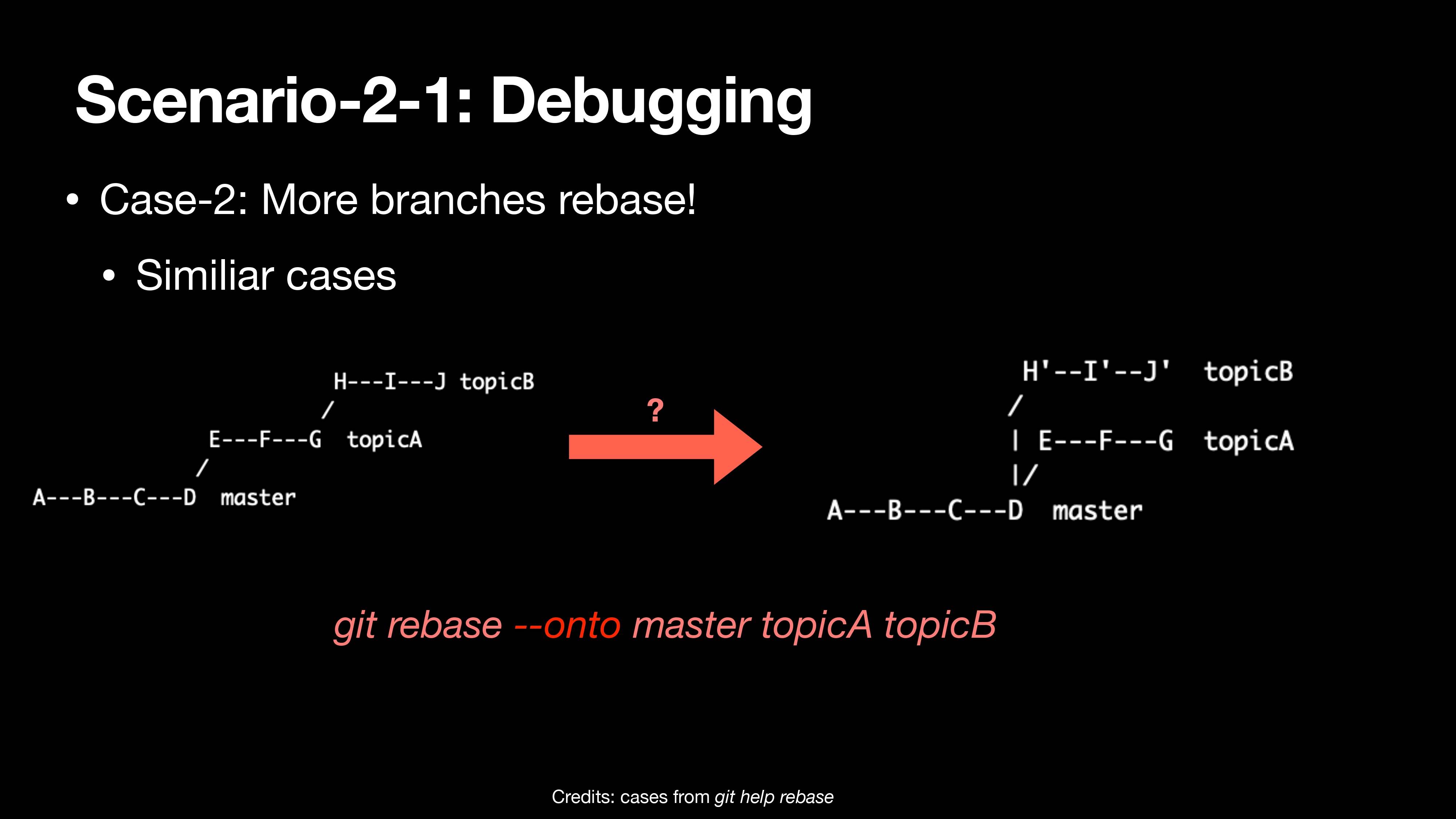
- Case-2: More branches rebase!
- Similiar cases
1 | git rebase --onto master topicA topicB |
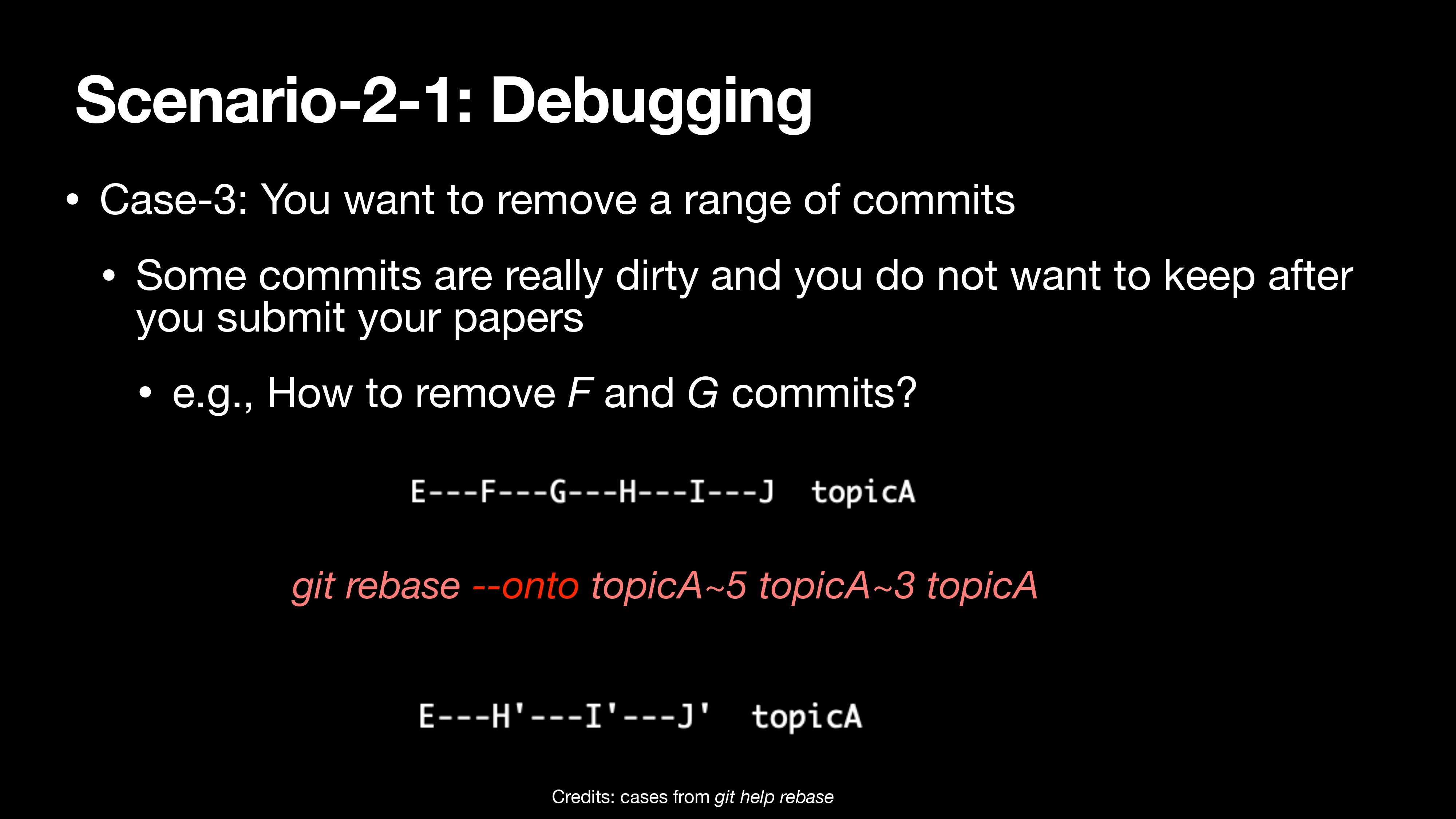
1 | git rebase --onto topicA~5 topicA~3 topicA |
Command (finally…3
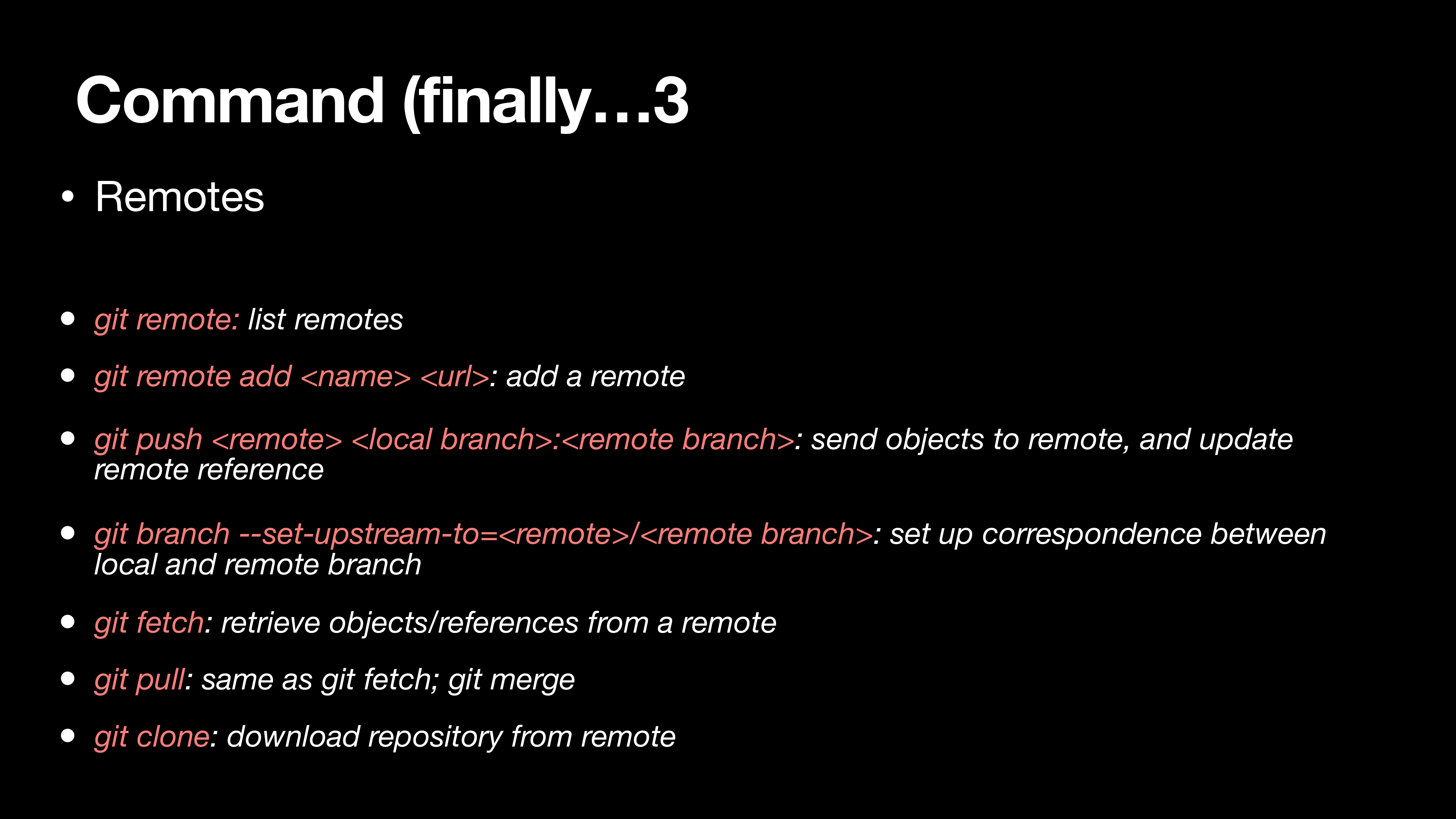
Remotes
git remote: list remotes
*git remote add
: add a remote *git push
: : send objects to remote, and update remote reference git branch –set-upstream-to=
/ **: set up correspondence between local and remote branch git fetch: retrieve objects/references from a remote
git pull: same as git fetch; git merge
git clone: download repository from remote**
Scenario-3: Gitlab/Gitee/Github
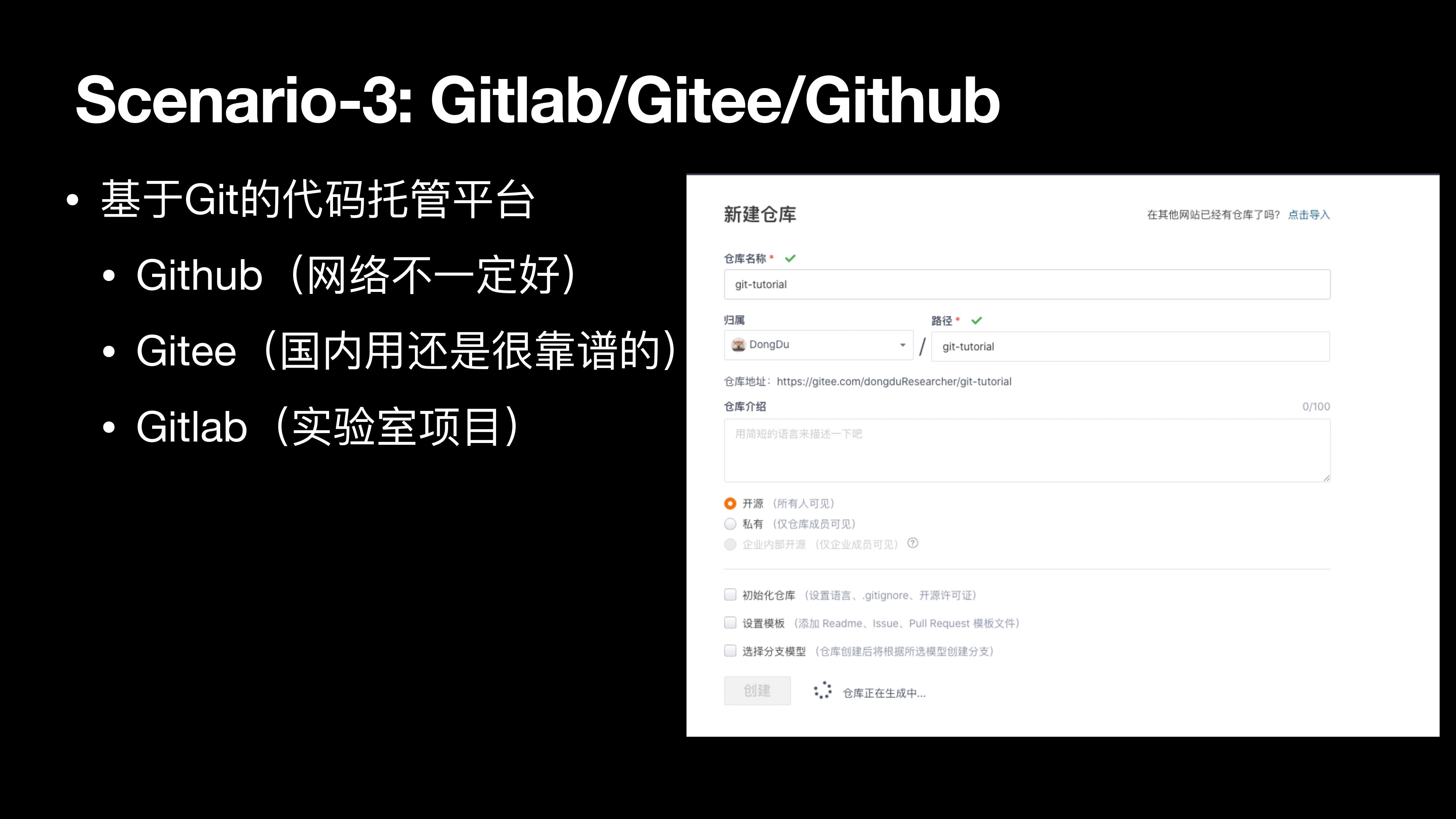
基于 Git 的代码托管平台
- Github(网络不一定好)
- Gitee(国内用还是很靠谱的)
- Gitlab(实验室项目)
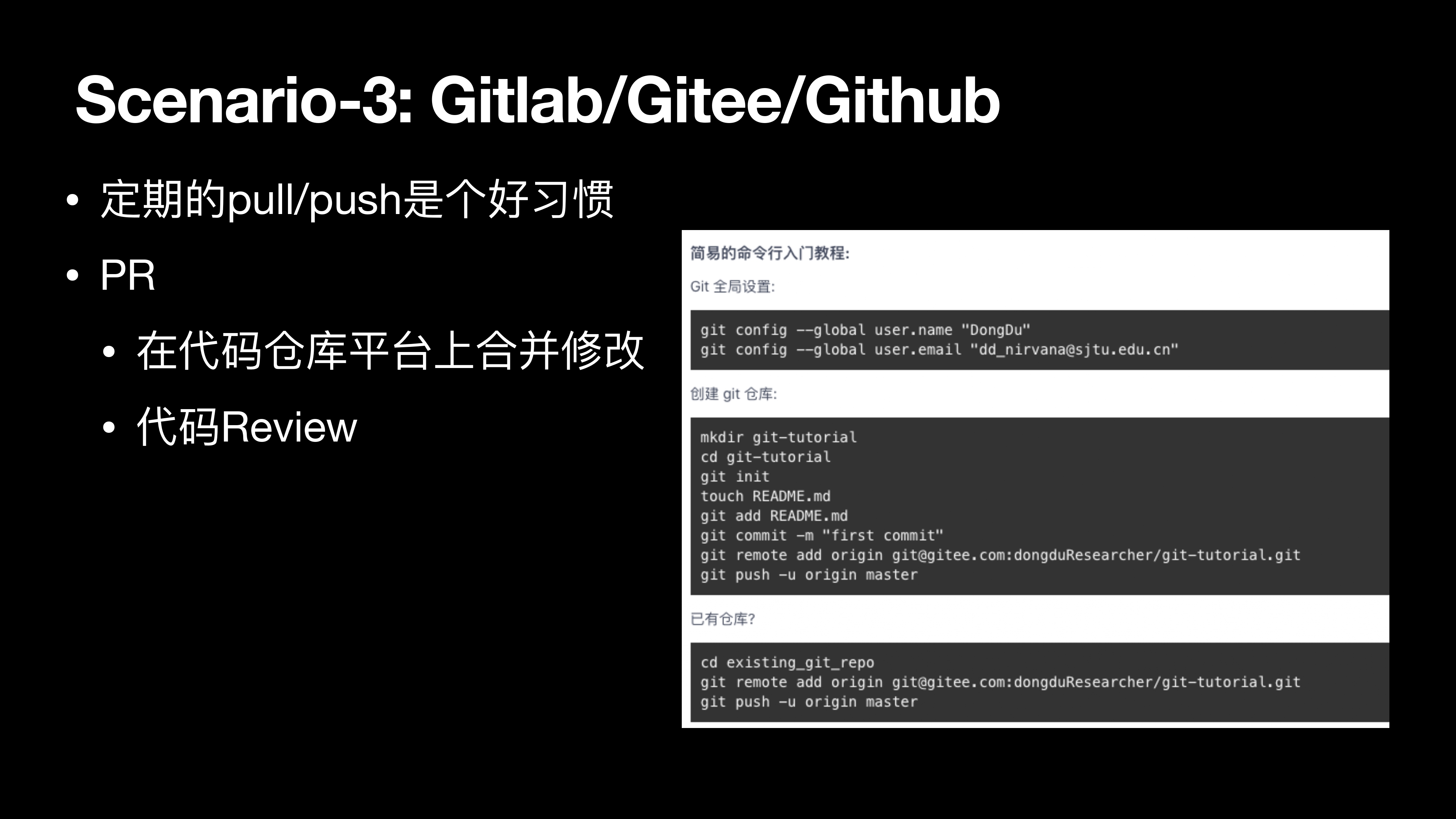
定期的 pull/push 是个好习惯
PR
- 在代码仓库平台上合并修改
- 代码 Review
Command (finally…4
Undo
- git commit –amend: edit a commit’s contents/message
- git reset HEAD
: unstage a file - git checkout –
: discard changes
Scenario-4: You will make mistakes, sometimes
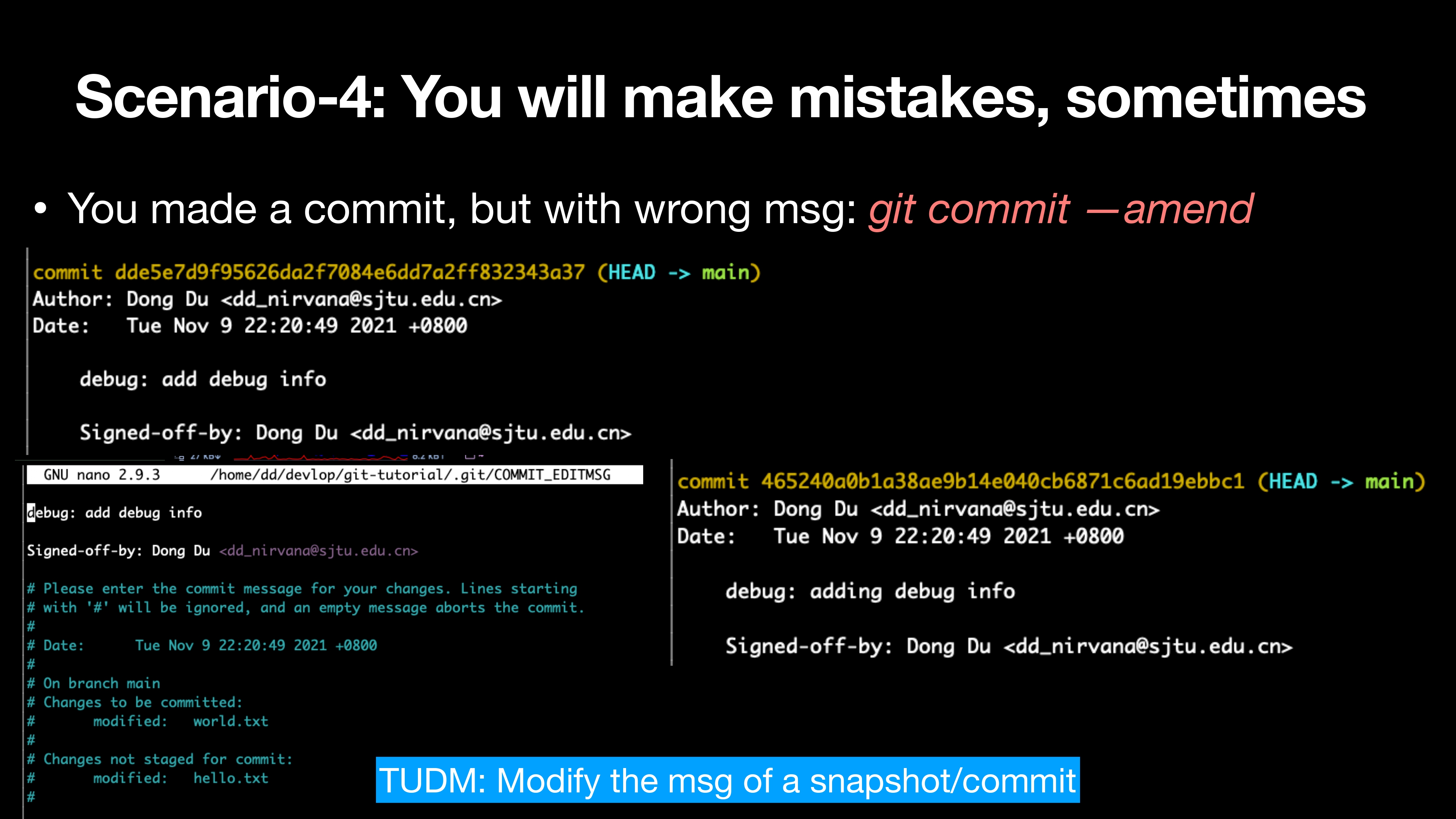
You made a commit, but with wrong msg: git commit —amend
1 | git commit --amend |
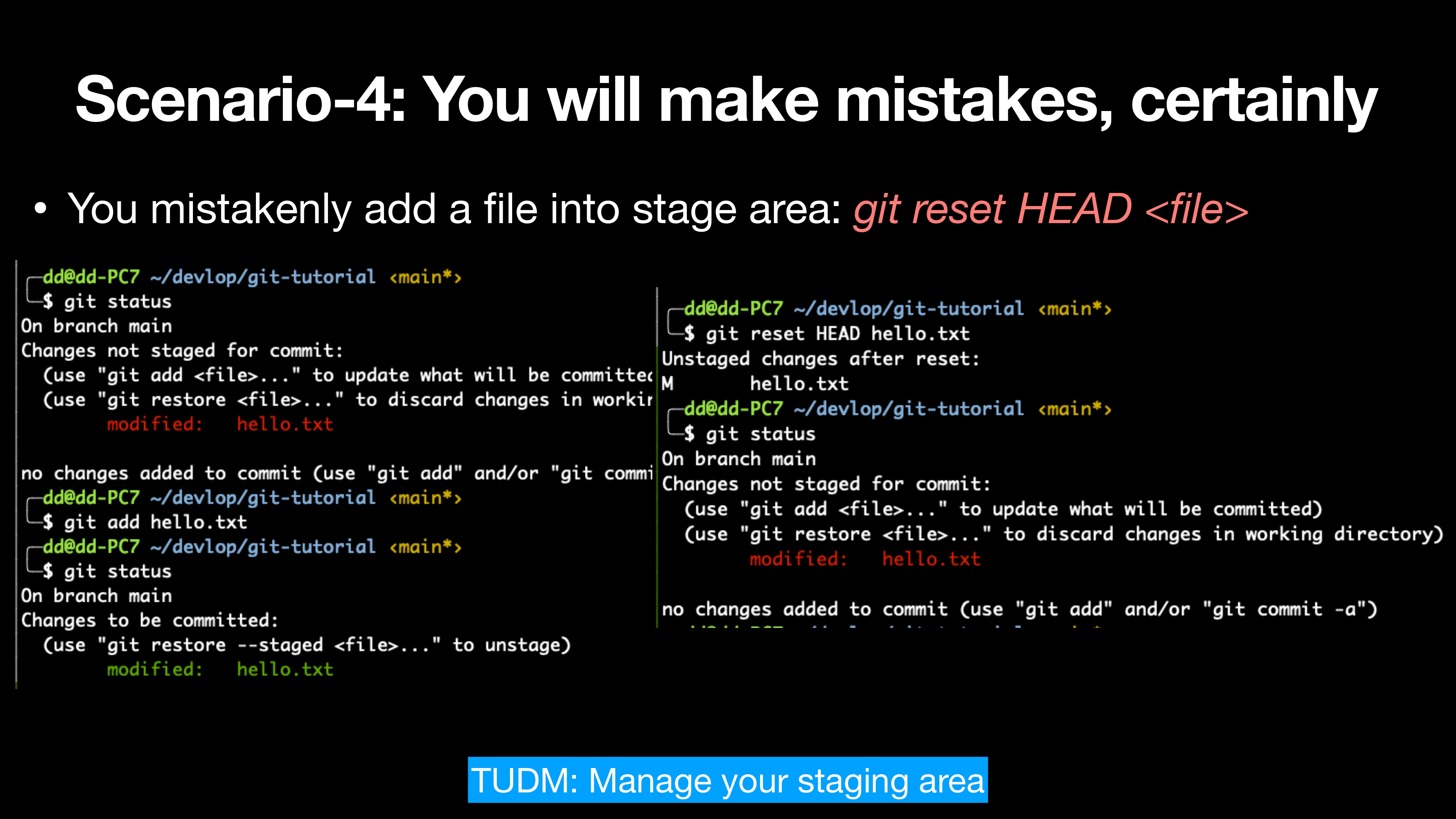
You mistakenly add a file into stage area: git reset HEAD
1 | git status |
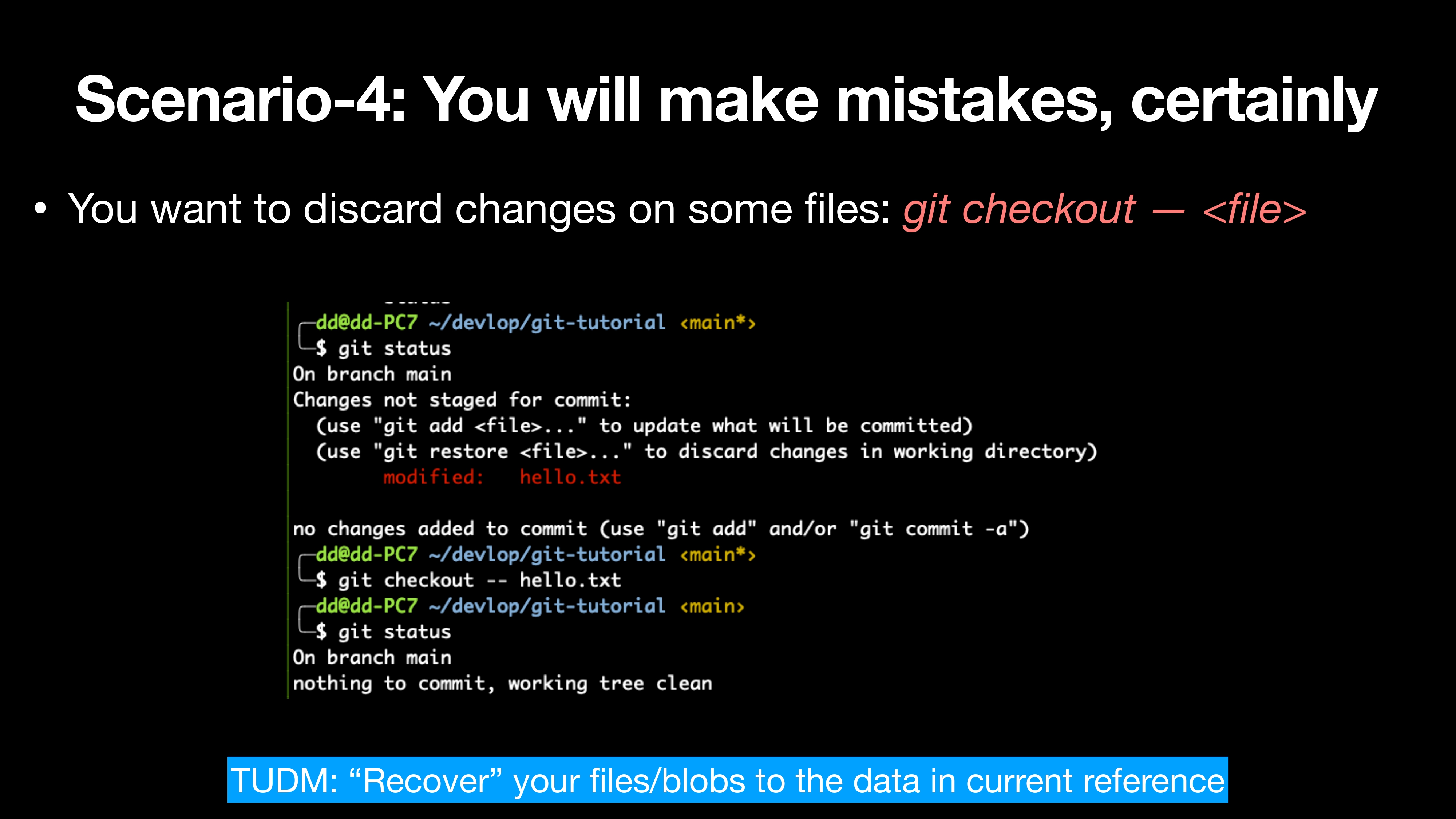
You want to discard changes on some files: git checkout —
1 | git status |
Command (finally…5
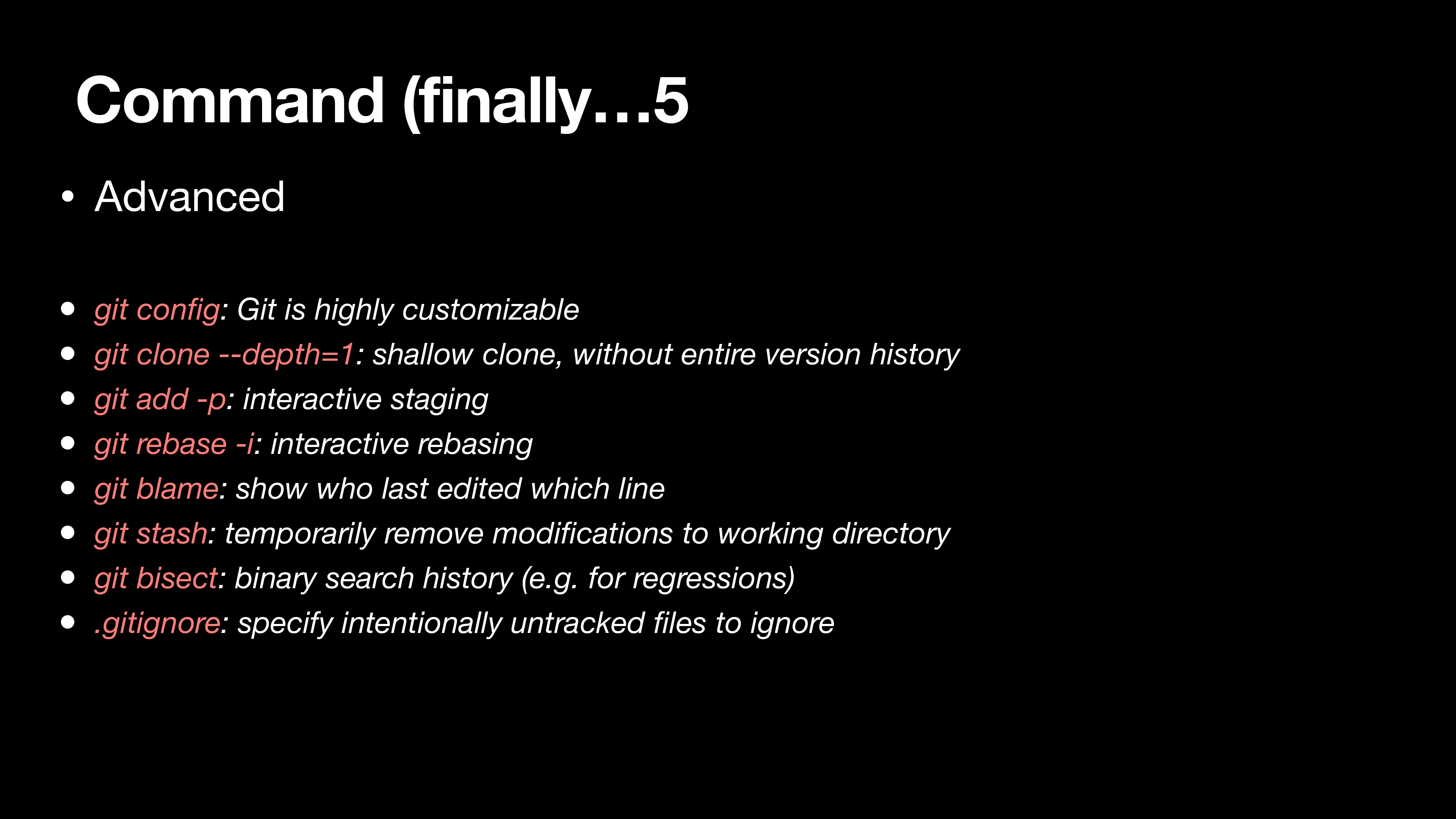
Advanced
- git config: Git is highly customizable
- git clone –depth=1: shallow clone, without entire version history
- git add -p: interactive staging
- git rebase -i: interactive rebasing
- git blame: show who last edited which line
- git stash: temporarily remove modifications to working directory
- git bisect: binary search history (e.g. for regressions)
- .gitignore: specify intentionally untracked files to ignore
Scenario-5: Git can do more for you
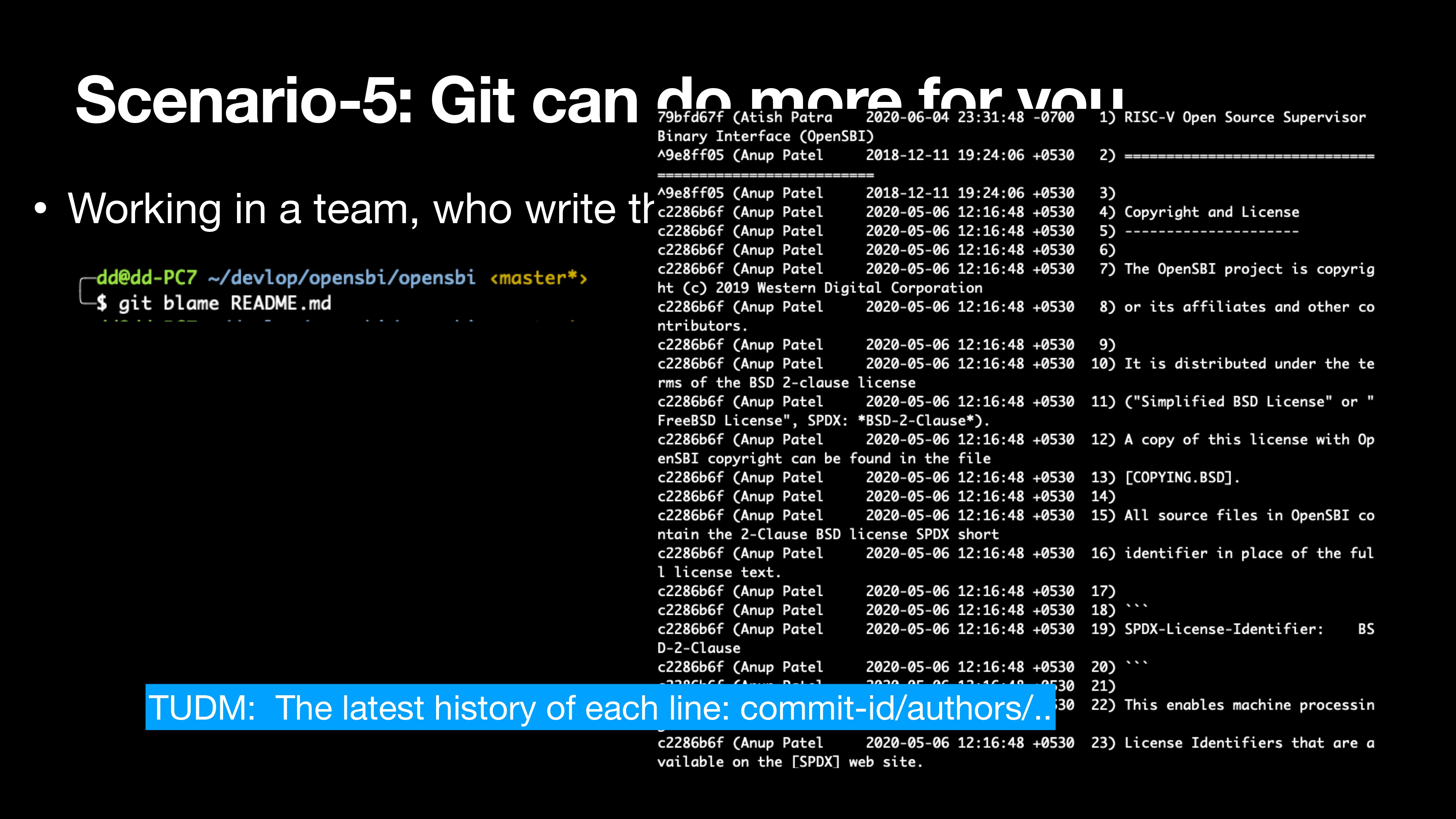
Working in a team, who write the bug code?: git blame
1 | git blame README.md |
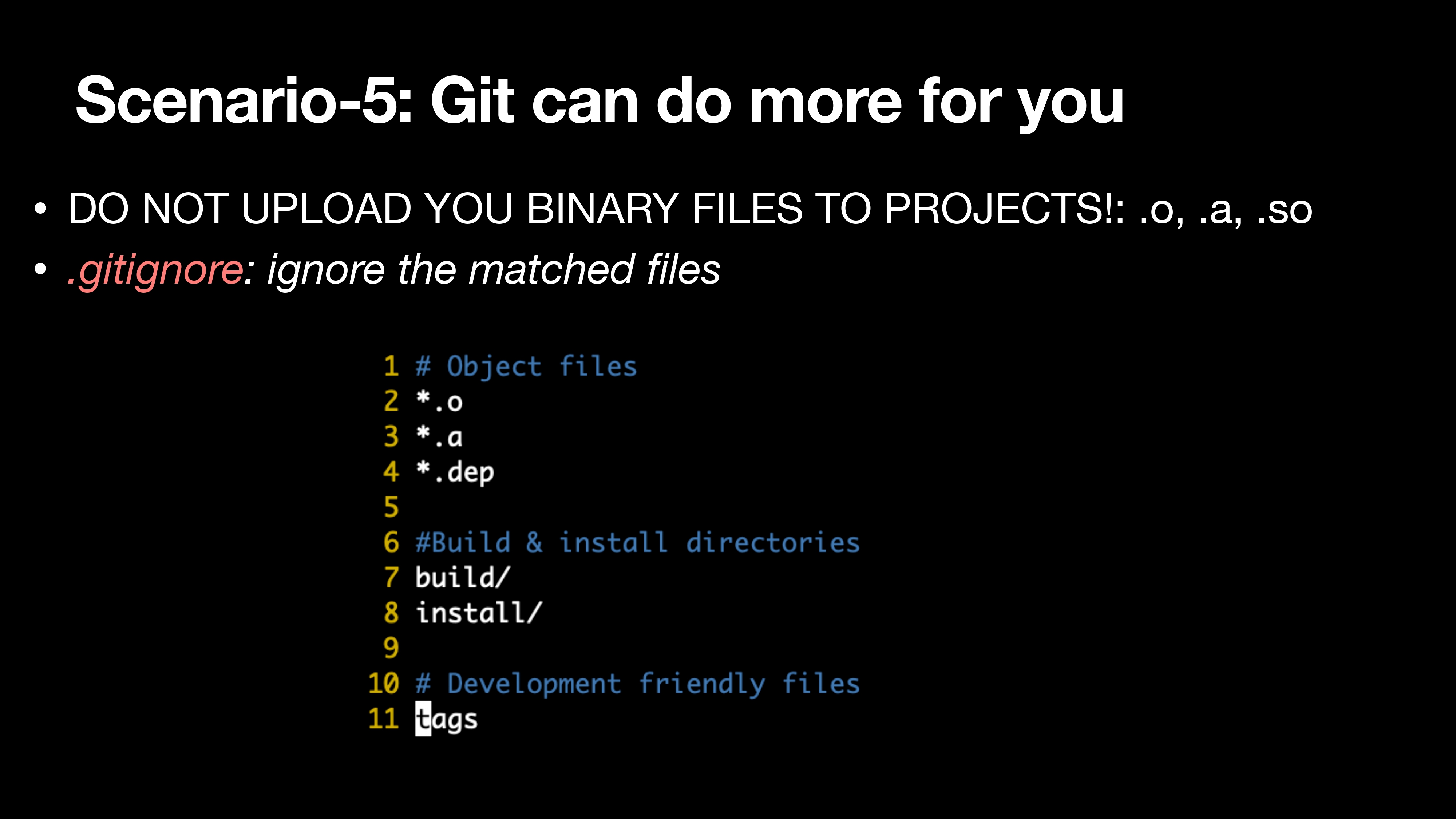
- DO NOT UPLOAD YOU BINARY FILES TO PROJECTS!: .o, .a, .so
- .gitignore: ignore the matched files
因为 Git 使用的是文件快照来保存版本历史,而二进制文件在压缩上几乎没有效果,所以,二进制文件只要有一点点修改,保存的就是整个文件内容。
所以大的二进制文件是禁止放到 Git 里面去管理的。那么多大才算大呢?一般的标准是单个二进制文件的大小不要超过 100kb。
Summary and Q&A?
- Basic knowledge about git is necessary
- More “advanced” tools (e.g., vscode) may help you use Git
- Try to read Pro-Git (https://git-scm.com/book/en/v2) if you want to know more
- Thx