![]()
引言
上一节讨论图层时制作了整个图层堆栈系统,今天我们尝试引入现代 OpenGL 为之后的实时 GUI 准备。
为项目加入图形显示和 GUI 是一件令人愉悦的事情,因为我们可以看到信息、调整数值,毕竟我们不能总是为了某些数值调整而重新编译整个项目,一个小滑块就可以解决。
我们需要一种方法来实际使用现代图形 API:OpenGL(最终这个项目会支持所有的图形 API 如 DirectX11 或 Vulkan,但 OpenGL 的跨平台性和易用性让我们考虑优先实现)。所以现在我们需要添加以 C++ 代码驱动 GPU 的现代 OpenGL 功能,因此希望能够调用存储在我们图形驱动程序中的函数(事实上之前我们已经使用了 GLFW,与之前不同,我们会使用一种叫“Glad”的东西)。
Glad 配置
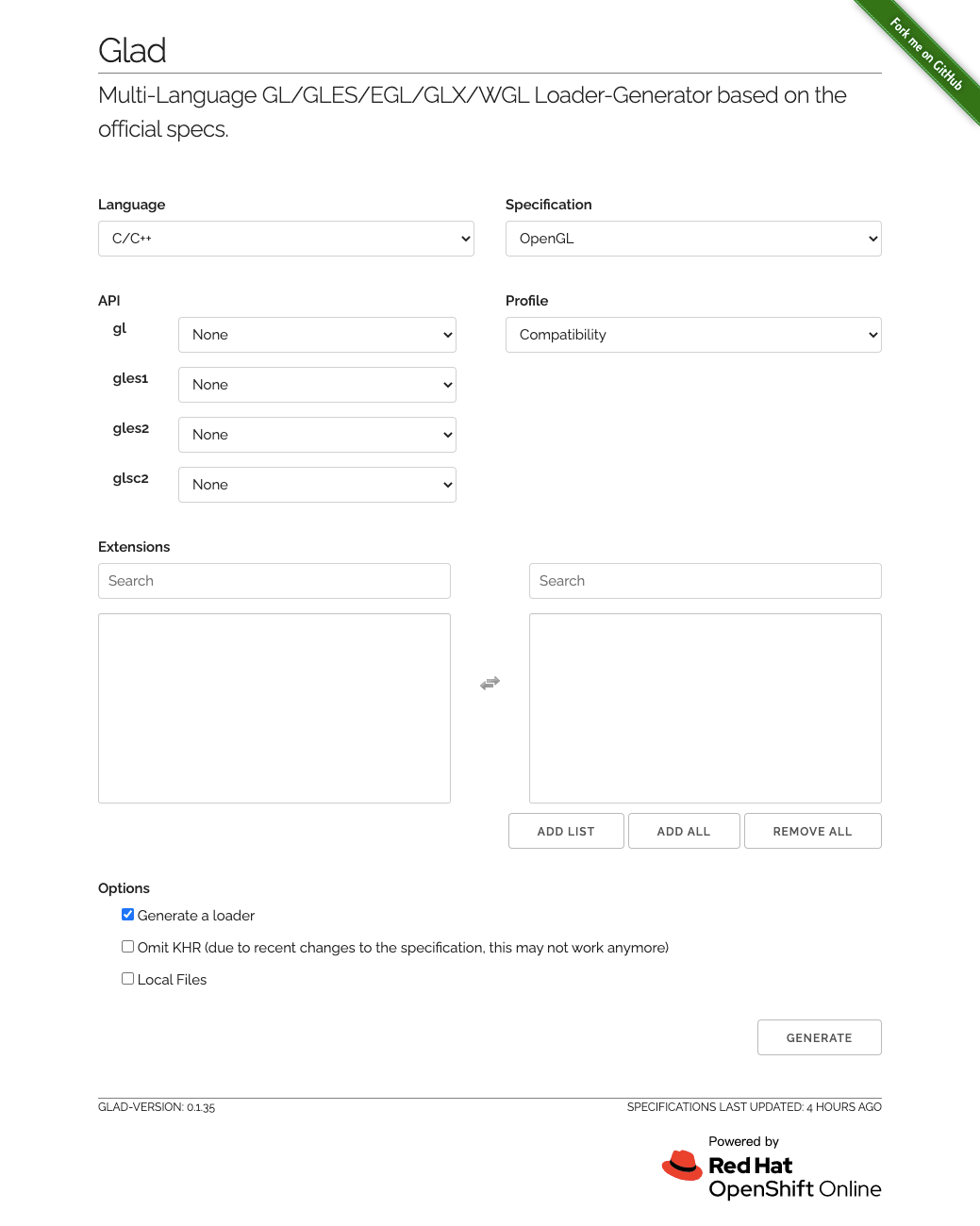
GLAD是继GL3W,GLEW之后,当前最新的用来访问 OpenGL 规范接口的第三方库。好的,我们首先进入 Glad 网站:
![]()
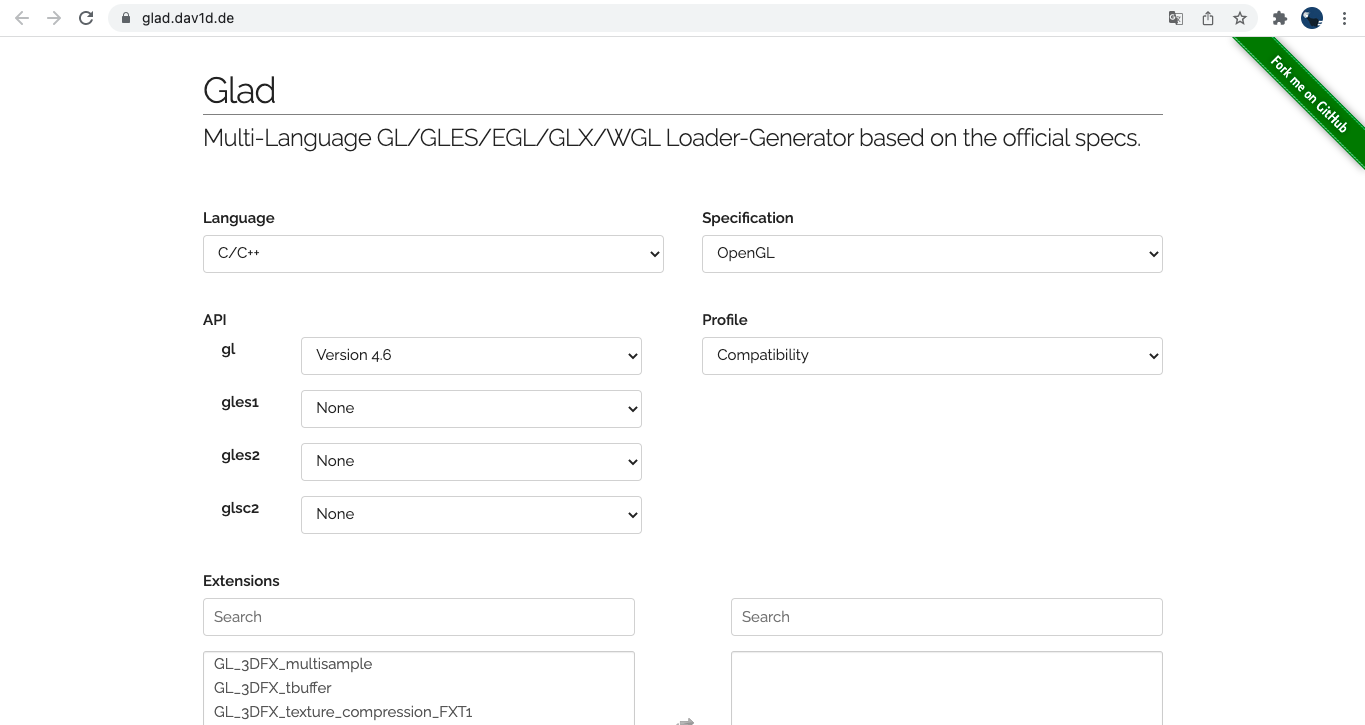
选择 4.6 OpenGL 版本,Profile 更改为 Core:
![]()
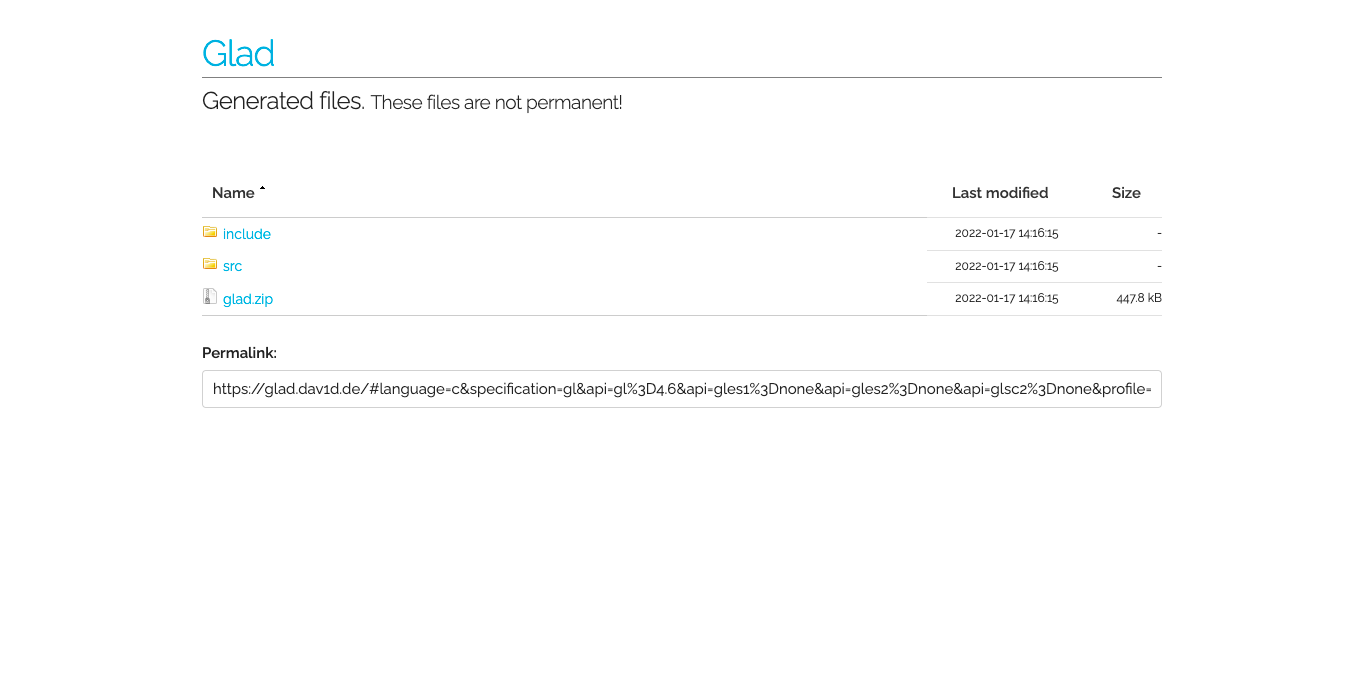
生成一个网页包:https://glad.dav1d.de/generated/tmpj1wnkvqcglad/,点击 glad.zip 下载它:
![]()
接着我们在 /Infinite/Infinite/vendor 中新建 GLAD 文件夹,放入解压后的文件。
预生成文件
现在我们把新的 glad 引入预生成文件中:
1
2
3
4
5
6
7
8
9
10
11
12
13
14
15
16
17
18
19
20
21
22
23
24
25
26
27
28
29
30
31
32
33
34
35
36
37
38
39
40
41
42
43
44
45
46
47
48
49
50
51
52
53
54
55
56
57
58
59
60
61
62
63
64
65
66
67
68
69
70
71
72
73
74
75
76
77
78
79
80
81
82
83
84
85
86
87
88
89
90
91
92
93
94
95
96
97
98
99
100
101
102
103
104
105
106
107
108
109
110
111
112
113
114
115
116
117
118
119
120
121
122
123
124
125
126
127
128
129
130
131
132
133
134
135
136
137
138
| workspace "Infinite"
architecture "x64"
startproject "Sandbox"
configurations
{
"Debug",
"Release",
"Dist"
}
outputdir = "%{cfg.buildcfg}-%{cfg.system}-%{cfg.architecture}"
-- Include directories relative to root folder (solution directory)
IncludeDir = {}
IncludeDir["GLFW"] = "Infinite/vendor/GLFW/include"
+IncludeDir["GLAD"] = "Infinite/vendor/GLAD/include"
include "Infinite/vendor/GLFW"
+include "Infinite/vendor/GLAD"
project "Infinite"
location "Infinite"
kind "SharedLib"
language "C++"
targetdir ("bin/" .. outputdir .. "/%{prj.name}")
objdir ("bin-int/" .. outputdir .. "/%{prj.name}")
pchheader "ifnpch.h"
pchsource "Infinite/src/ifnpch.cpp"
files
{
"%{prj.name}/src/**.h",
"%{prj.name}/src/**.cpp"
}
includedirs
{
"%{prj.name}/src",
"%{prj.name}/vendor/spdlog/include",
"%{IncludeDir.GLFW}"
+ "%{IncludeDir.GLAD}"
}
links
{
"GLFW",
+ "GLAD",
"opengl32.lib"
}
filter "system:windows"
cppdialect "C++17"
staticruntime "On"
systemversion "latest"
defines
{
"IFN_PLATFORM_WINDOWS",
"IFN_BUILD_DLL"
}
postbuildcommands
{
("{COPY} %{cfg.buildtarget.relpath} ../bin/" .. outputdir .. "/Sandbox")
}
filter "configurations:Debug"
defines "IFN_DEBUG"
buildoptions "/MDd"
symbols "On"
filter "configurations:Release"
defines "IFN_RELEASE"
buildoptions "/MD"
optimize "On"
filter "configurations:Dist"
defines "IFN_DIST"
buildoptions "/MD"
optimize "On"
project "Sandbox"
location "Sandbox"
kind "ConsoleApp"
language "C++"
targetdir ("bin/" .. outputdir .. "/%{prj.name}")
objdir ("bin-int/" .. outputdir .. "/%{prj.name}")
files
{
"%{prj.name}/src/**.h",
"%{prj.name}/src/**.cpp"
}
includedirs
{
"Infinite/vendor/spdlog/include",
"Infinite/src/Infinite",
"Infinite/src/Events"
}
links
{
"Infinite"
}
filter "system:windows"
cppdialect "C++17"
staticruntime "On"
systemversion "latest"
defines
{
"IFN_PLATFORM_WINDOWS"
}
filter "configurations:Debug"
defines "IFN_DEBUG"
buildoptions "/MDd"
symbols "On"
filter "configurations:Release"
defines "IFN_RELEASE"
buildoptions "/MD"
optimize "On"
filter "configurations:Dist"
defines "IFN_DIST"
buildoptions "/MD"
optimize "On"
|
复制 Infinite/vendor/GLFW 的 premake5 至 GLAD 中修改:
1
2
3
4
5
6
7
8
9
10
11
12
13
14
15
16
17
18
19
20
21
22
23
24
25
26
| project "GLAD"
kind "StaticLib"
language "C"
targetdir ("bin/" .. outputdir .. "/%{prj.name}")
objdir ("bin-int/" .. outputdir .. "/%{prj.name}")
files
{
"include/glad/glad.h",
"include/KHR/khrplatform.h",
"src/glad.c"
}
includedirs
{
"include"
}
filter "system:windows"
systemversion "latest"
staticruntime "On"
filter { "system.windows", "configurations:Release" }
buildoptions "/MT"
|
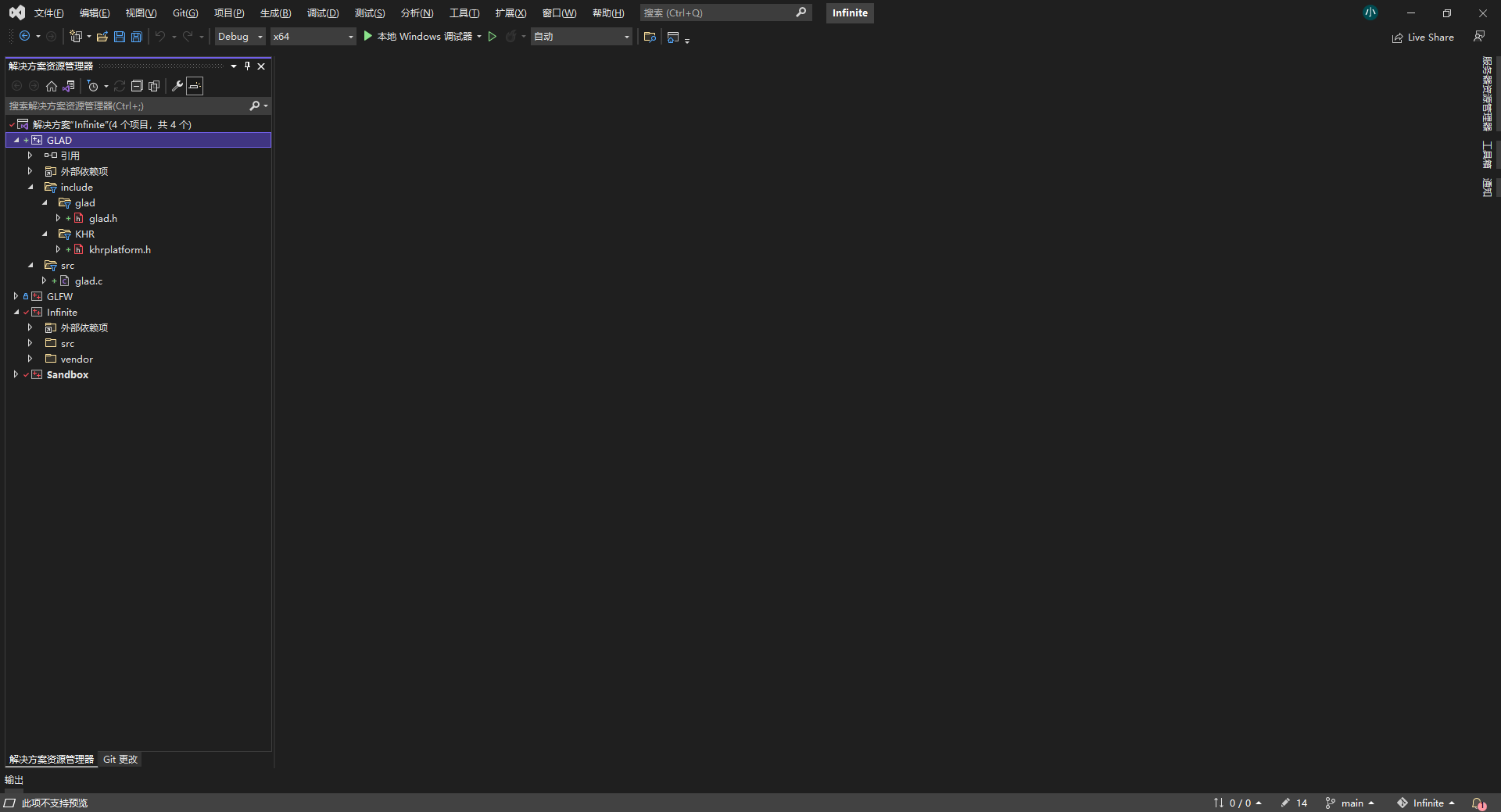
最终我们在 VisualStudio 中成功引入了 glad:
![]()
调试
最后我们对原有的 Application.cpp 进行一些修改:
1
2
3
4
5
6
7
8
9
10
11
12
13
14
15
16
17
18
| #include "Events/ApplicationEvent.h"
#include "Log.h"
-#include <GLFW/glfw3.h>
+#include <glad/glad.h>
namespace Infinite {
namespace Infinite {
{
m_Window = std::unique_ptr<Window>(Window::Create());
m_Window->SetEventCallback(BIND_EVENT_FN(OnEvent));
+ int id;
+ glGenVertexArrays(1, &id);
}
Application::~Application() {}
|
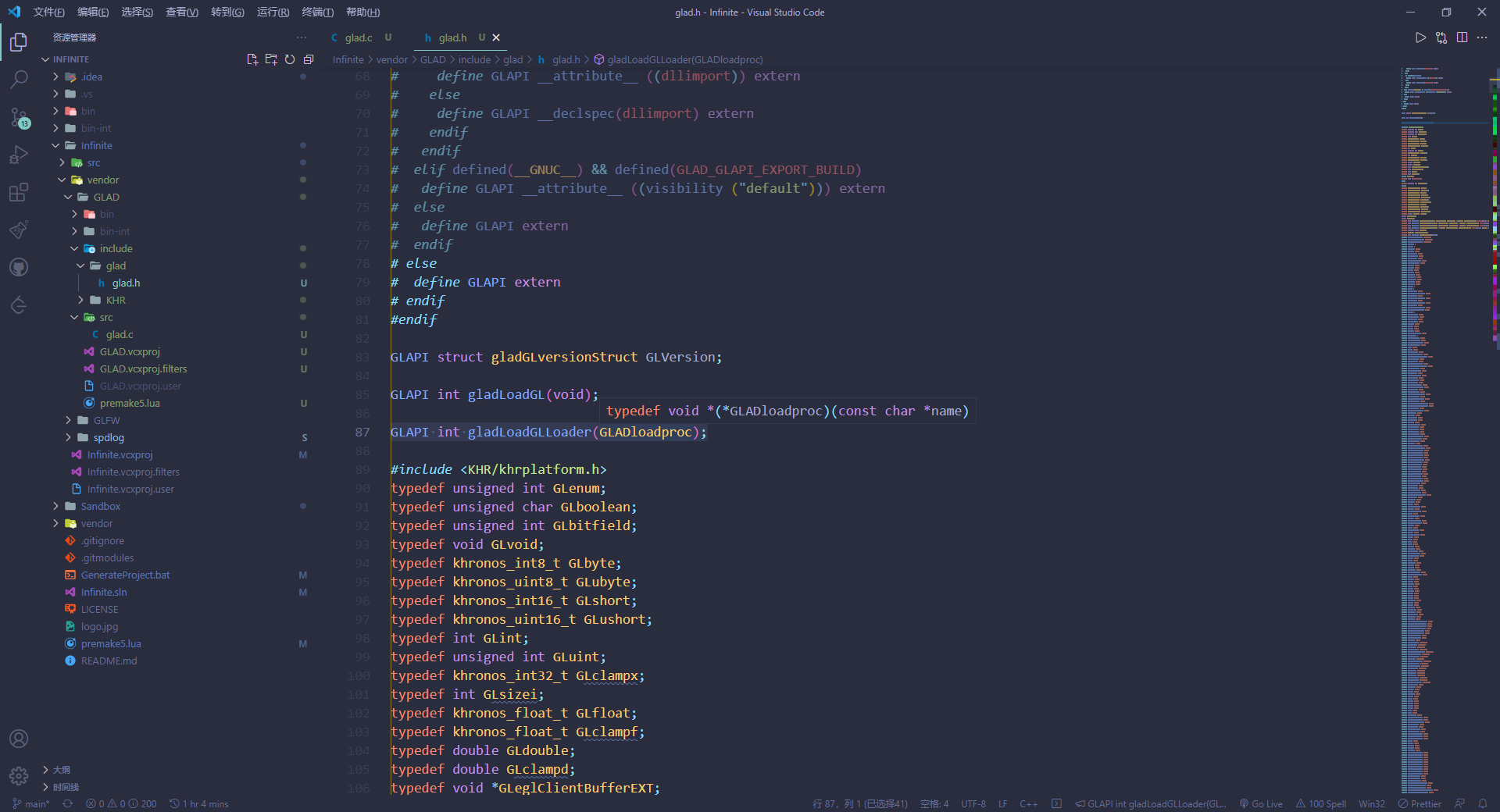
让我们试试 gladLoadGLLoader()。int gladLoadGLLoader(GLADloadproc load):任何的OpenGL接口调用都必须在初始化 GLAD 库后才可以正常访问。如果成功的话,该接口将返回 GL_TRUE,否则就会返回 GL_FALSE。
其中 GLADloadproc 函数声明如下:void* (*GLADloadproc)(const char* name)。
![]()
1
2
3
4
5
6
7
8
9
10
11
12
13
14
15
16
| #include "Infinite/Events/MouseEvent.h"
#include "Infinite/Events/KeyEvent.h"
#include <GLAD/glad.h>
namespace Infinite {
static bool s_GLFWInitialized = false;
.....
m_Window = glfwCreateWindow((int)props.Width, (int)props.Height, m_Data.Title.c_str(), nullptr, nullptr);
glfwMakeContextCurrent(m_Window);
+ int status = gladLoadGLLoader((GLADloadproc)glfwGetProcAddress);
+ IFN_CORE_ASSERT(status, "Failed to initialize GLAD!");
glfwSetWindowUserPointer(m_Window, &m_Data);
SetVSync(true);
|
最后成功启动项目,代表引入 GLAD 成功。